
Last Updated: October 26, 2026
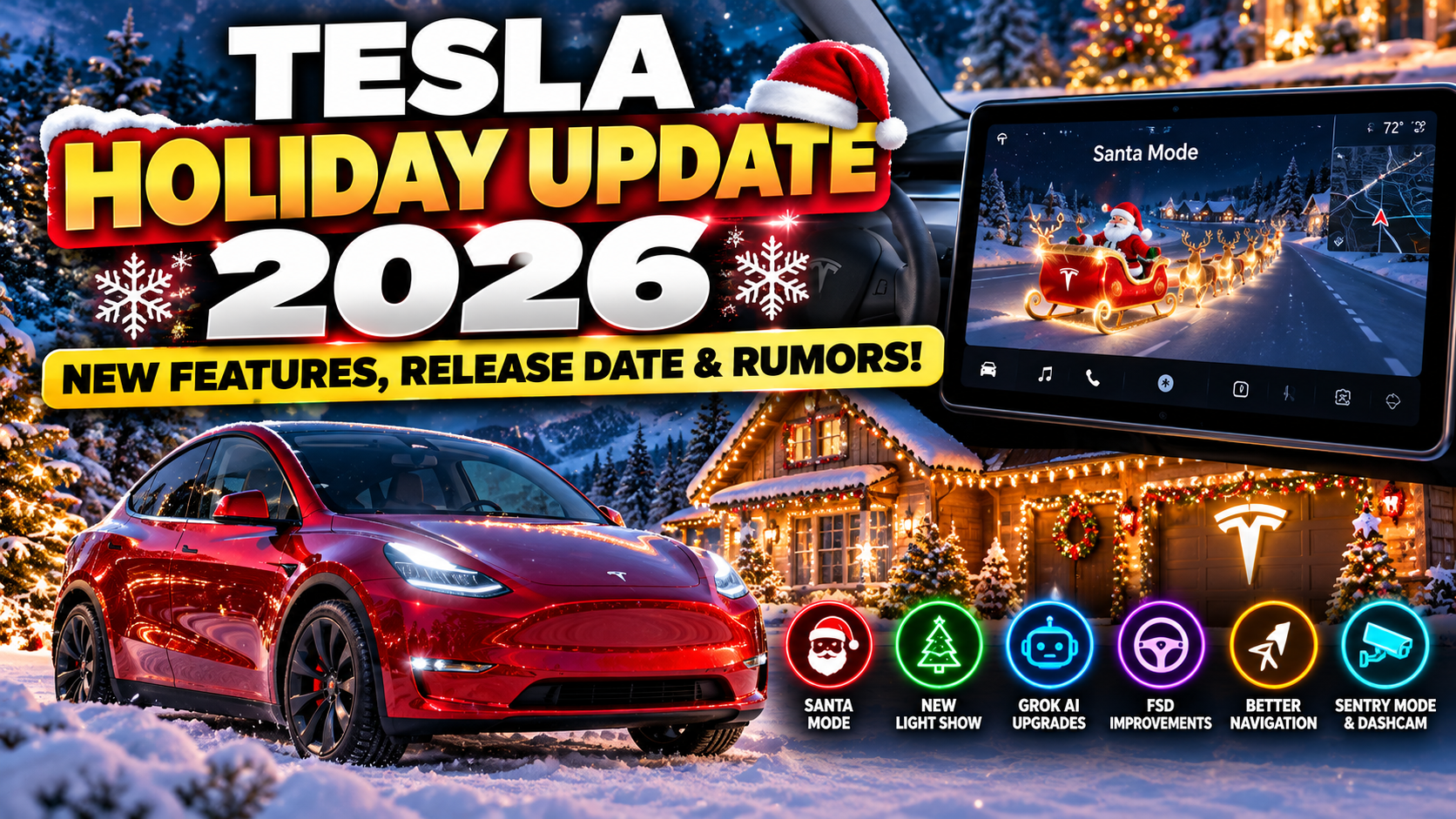
🎄 Tesla’s Holiday Update 2026 is getting closer, and owners are already wondering what new features, surprises, and improvements might be coming to their vehicles.
Every year, Tesla owners look forward to the company’s end-of-year software update. Unlike ordinary updates that focus primarily on fixes and improvements, Tesla’s Holiday Updates often introduce a combination of useful features, entertainment options, and unexpected surprises.
From festive Light Shows and Santa Mode to navigation improvements and new vehicle controls, previous Holiday Updates have given owners plenty to explore.
Now, with the 2026 holiday season approaching, the big question is:
What will Tesla include in its 2026 Holiday Update?
Will we see more advanced Full Self-Driving features? Better navigation? New Grok AI capabilities? Improvements to Sentry Mode and Dashcam? Or something completely unexpected?
Here’s everything we know so far, what we’re watching for, and how to make sure your Tesla is ready when the update arrives.
Is the Tesla Holiday Update 2026 Officially Announced?
Not yet.
As of October 26, 2026, Tesla has not publicly confirmed a complete feature list, release date, or software version for its 2026 Holiday Update.
However, Tesla has established a history of releasing significant software updates toward the end of the year.
That makes another holiday-themed release a reasonable expectation, although its timing and contents remain unconfirmed.
Tesla Holiday Update 2026: Current Status
| Feature or Detail | Current Status |
|---|---|
| Holiday Update 2026 | Not officially announced |
| Release date | Not confirmed |
| Software version | Not confirmed |
| New Santa Mode features | Possible, not confirmed |
| New Light Show | Possible, not confirmed |
| FSD improvements | Possible, not confirmed |
| Grok AI enhancements | Possible, not confirmed |
| Navigation improvements | Possible, not confirmed |
| Supported Tesla models | Not announced |
We’ll update this article as Tesla confirms new information.
When Will the Tesla Holiday Update 2026 Be Released?
Tesla hasn’t announced an official release date, but previous Holiday Updates provide some clues.
For example, Tesla began rolling out its 2025 Holiday Update in December 2025.
If Tesla follows a similar schedule this year, early to mid-December 2026 would be a reasonable estimate.
However, that’s a prediction based on previous release patterns—not a confirmed release window.
Our Tesla Holiday Update 2026 Timeline Prediction
| Timeframe | What Could Happen |
|---|---|
| Late October 2026 | Early speculation and feature discussions |
| November 2026 | Potential clues from upcoming software releases |
| Early December 2026 | Possible official announcement |
| December 2026 | Potential Holiday Update rollout |
| Late December 2026 | Additional rollout waves or follow-up fixes |
Tesla typically distributes software updates in stages, so even after an official release begins, not every eligible vehicle receives it immediately.
Your Tesla’s hardware, model, region, and software configuration can affect availability.
1. Could Tesla Introduce an Even Better Santa Mode?
🎅 Santa Mode is one of Tesla’s most recognizable holiday features.
It transforms the vehicle’s on-screen visualization into a festive scene, adding a little Christmas spirit to the driving experience.
Previous versions have featured holiday-themed vehicle graphics, sound effects, and other seasonal touches.
The 2025 Holiday Update included a refreshed Santa Mode experience featuring Tesla’s Optimus robot as Santa.
What We’d Love to See in 2026
While Tesla hasn’t confirmed anything new, there are several possibilities:
- Additional holiday vehicle visualizations
- New Christmas-themed sound effects
- More interactive holiday animations
- Updated Santa Mode graphics
- Additional customization options
- New festive Easter eggs
Tesla has a history of making its vehicles entertaining, so another Santa Mode surprise wouldn’t be unusual.
Our prediction: Santa Mode is a strong candidate to return, but any new 2026 features remain unconfirmed.
2. A New Tesla Holiday Light Show?
One of the most entertaining features Tesla has introduced is its synchronized Light Show.
Depending on the vehicle and configuration, Light Show can coordinate exterior lights and other supported vehicle functions with music.
The result can be surprisingly impressive.
Tesla’s 2025 Holiday Update included a new festive Light Show experience called Jingle Rush.
That raises an interesting question.
Will Tesla introduce another custom Light Show for Christmas 2026?
Possible Light Show Improvements
We could potentially see:
- New holiday music
- Additional synchronized lighting effects
- More customization options
- Improved scheduling
- Additional support for compatible vehicles
These are possibilities, not confirmed additions.
How to Find Light Show on Your Tesla
On supported vehicles, open:
App Launcher → Toybox → Light Show
The exact location and available options may vary depending on your Tesla’s software version.
Before running a Light Show, make sure your vehicle is parked in a safe location with adequate clearance.
3. Will Grok AI Get More Features?
🤖 Grok AI could be one of the most interesting areas to watch in the 2026 Holiday Update.
Tesla has already been expanding the capabilities of its in-vehicle AI assistant.
Previous software updates introduced Grok functionality and additional voice-based interactions.
The 2025 Holiday Update included Grok navigation commands, allowing supported vehicles to use the assistant for certain navigation-related tasks.
Tesla also announced further Grok-related capabilities in its Spring 2026 software update.
That makes AI assistance a particularly interesting area for future development.
What Could Come Next?
Potential improvements might include:
More natural conversations
Drivers could benefit from improved understanding of everyday questions and commands.
Better navigation assistance
Grok could become more useful when helping drivers find destinations or plan stops.
More vehicle-related assistance
Future AI capabilities might help explain vehicle settings, software features, or troubleshooting information.
Improved contextual awareness
An assistant that better understands the driver’s current task could make certain interactions easier.
None of these specific additions has been confirmed for the 2026 Holiday Update.
But given Tesla’s ongoing investment in AI, Grok is certainly a feature worth watching.
4. Could Full Self-Driving Receive a Holiday Upgrade?
Tesla has been actively improving Full Self-Driving (Supervised) throughout 2026.
Recent FSD 14.3 releases have focused on improvements involving AI processing, navigation decisions, parking behavior, and responses to challenging driving situations.
With the holiday season approaching, many owners will naturally wonder whether another FSD update is coming.
What Could Tesla Improve?
Potential areas include:
- Smoother lane changes
- Better handling of intersections
- More consistent parking behavior
- Improved navigation decisions
- Better responses to unusual road conditions
- Reduced unnecessary braking
- More predictable driving behavior
These are areas Tesla has worked on in previous releases, not confirmed Holiday Update features.
Will FSD v15 Arrive With the Holiday Update?
There’s considerable interest in Tesla’s next major FSD generation.
However, there is no verified announcement establishing that FSD v15 will be included in the 2026 Holiday Update.
It’s also important to remember that FSD releases and general vehicle software releases don’t always follow the same schedule.
A Tesla can receive holiday entertainment features without receiving the latest FSD version.
What About Hardware 3 Owners?
Tesla’s recent FSD 14.3 Lite release is particularly relevant to Hardware 3 owners.
It demonstrates that Tesla continues developing hardware-specific versions of its supervised driving software.
However, this doesn’t guarantee that HW3 vehicles will receive every future feature available on newer Hardware 4 vehicles.
Important: Full Self-Driving (Supervised) does not make a Tesla autonomous. Drivers must remain attentive and prepared to take control.
5. Better Tesla Navigation and Road Trip Planning?
🚗 Navigation improvements would be especially useful for Tesla owners traveling during the holidays.
Whether you’re driving across town to visit family or taking a road trip across several states, good route planning can make a major difference.
Tesla has already introduced features that help drivers plan charging stops and manage battery levels.
Recent software updates have included improvements such as setting a desired arrival energy level and displaying additional information about supported Supercharger locations.
Features We’d Like to See
More detailed Supercharger information
Expanded charger maps could help drivers understand station layouts, available stalls, and nearby amenities.
Better charging stop recommendations
More flexibility in choosing charging stops could help drivers balance charging time, cost, and convenience.
Improved arrival battery predictions
More accurate energy estimates could reduce uncertainty during longer trips.
More destination options
Additional route-planning flexibility would be useful when visiting multiple locations.
These would be valuable improvements, but Tesla hasn’t confirmed them as part of the Holiday Update.
Planning a Tesla Holiday Road Trip?
You don’t have to wait for the Holiday Update to start planning.
Our Tesla Road Trip Planner helps you explore routes, estimate charging costs, find Superchargers, and discover interesting stops along the way.
👉 Try our free Tesla Road Trip Planner: https://myteslasavings.com/tesla-road-trip-planner/
It’s especially useful when you’re trying to make a long holiday drive more enjoyable without spending more than necessary.
6. Could Tesla Improve Sentry Mode and Dashcam?
Tesla’s Sentry Mode and built-in Dashcam are among its most useful security and recording features.
When configured correctly, these systems can help capture certain events while driving or parked.
Previous Tesla software updates have introduced improvements to Dashcam viewing and recording information.
That creates an opportunity for further refinements.
Features We’d Like to See
- Easier access to saved Dashcam footage
- Improved video organization
- Better event notifications
- More convenient footage exporting
- Additional Sentry Mode customization
- Improved recording reliability
These are suggestions rather than confirmed 2026 Holiday Update features.
Don’t Wait for an Update to Check Your Dashcam
If you haven’t checked your Tesla’s Dashcam settings recently, now is a good time.
Make sure automatic recording is enabled where supported, your USB storage is recognized, and saved clips can be played back.
A software update won’t help much if your recording storage isn’t working correctly.
7. Will Tesla Add More Vehicle Customization?
Tesla has steadily expanded the ways owners can personalize their vehicles.
The 2025 Holiday Update included enhancements to vehicle appearance customization through Paint Shop.
Depending on the vehicle and software, owners can change how their Tesla appears in its on-screen visualization.
What Could Come Next?
Potential additions include:
- More vehicle colors
- Additional wrap designs
- New wheel visualizations
- Seasonal customization themes
- More personalization options
For owners who enjoy customizing their Teslas, this could be a fun area for future updates.
But no new customization features have been confirmed for the 2026 Holiday Update.
8. What About Tesla’s Hidden Easter Eggs?
One of the best things about Tesla software updates is discovering features that weren’t necessarily the main attraction.
Tesla has previously included games, holiday animations, entertainment features, and playful surprises.
That’s part of what makes the annual Holiday Update so popular.
Possible 2026 Easter Eggs
We wouldn’t be surprised to see:
🎄 New holiday animations
🎮 Additional games or entertainment options
🎅 Updated Santa Mode surprises
🎵 New sounds or music-related features
🚗 New vehicle visualization effects
🤖 Additional AI-powered entertainment
Of course, these are predictions.
Tesla has not announced which, if any, new Easter eggs will arrive this December.
9. Which Tesla Models Will Get the 2026 Holiday Update?
Tesla hasn’t published an official compatibility list for its 2026 Holiday Update.
Historically, software updates have been distributed across multiple Tesla models, although specific features vary.
The following vehicles could receive some portion of a future holiday release:
| Tesla Model | Holiday Update Expectations |
|---|---|
| Model 3 | Likely eligible for supported features |
| Model Y | Likely eligible for supported features |
| Model S | Feature availability may vary by year and hardware |
| Model X | Feature availability may vary by year and hardware |
| Cybertruck | May receive compatible features |
| Older Tesla vehicles | Some features may be limited by hardware |
This is not an official compatibility list.
Tesla may restrict individual features based on hardware, region, vehicle configuration, or other technical requirements.
Does Hardware 3 vs. Hardware 4 Matter?
Yes, particularly for Full Self-Driving features.
Hardware 3 and Hardware 4 vehicles may receive different FSD software versions.
However, not every Holiday Update feature depends on the FSD computer.
Entertainment features, navigation improvements, and vehicle interface changes can have their own compatibility requirements.
10. How to Prepare Your Tesla for the Holiday Update 2026
You don’t need to wait until December to get your Tesla ready.
Here are a few simple things you can do now.
Step 1: Connect Your Tesla to Wi-Fi
Tesla recommends a reliable Wi-Fi connection for downloading software updates.
If your Tesla is parked within range of your home network, connect it before the rollout begins.
Step 2: Check Your Software Update Preference
On your Tesla touchscreen, navigate to:
Controls → Software → Software Update Preference
If available, select Advanced.
This indicates that you want to receive eligible software updates as soon as they become available for your vehicle configuration and region.
It doesn’t guarantee immediate delivery.
Step 3: Update Your Tesla Mobile App
Make sure your Tesla app is current.
Some new vehicle features require a recent mobile app version.
Step 4: Check Your Current Software Version
Navigate to:
Controls → Software
Your Tesla will display its current software version.
This is also where you can check whether an update is available.
Step 5: Leave Time for Installation
When the Holiday Update becomes available, install it when you won’t need your vehicle for a while.
Your Tesla cannot be driven during the installation process.
Step 6: Read the Release Notes
After installing an update, review the release notes to see which features are available on your specific vehicle.
Not every feature listed online will necessarily apply to your Tesla.
11. Why Haven’t I Received the Tesla Holiday Update Yet?
Once Tesla begins releasing the Holiday Update, one of the biggest questions will probably be:
“Why does everyone else have it, but I don’t?”
This happens with almost every major Tesla software release.
Tesla distributes updates in waves rather than delivering them to every vehicle simultaneously.
Several factors can affect availability.
Your Tesla’s Hardware
Some features require newer processors or other vehicle hardware.
Your Region
Software features and release schedules can vary by country.
Your Current Software Version
Tesla may distribute different update packages depending on your current software branch.
Your Vehicle Configuration
Your model, year, and available equipment can affect which features you receive.
The Rollout Schedule
Tesla may release an update to a limited group of vehicles before expanding distribution.
Important: There is no guaranteed method to force an update before Tesla makes it available to your vehicle.
Keep your Tesla connected to Wi-Fi and check for official update notifications.
12. Will the Tesla Holiday Update Be Free?
Tesla’s over-the-air vehicle software updates are generally delivered without a separate installation fee.
However, that doesn’t mean every feature included in an update will be available for free.
Some features require:
- Compatible vehicle hardware
- A paid subscription
- A purchased software option
- A supported region
- Specific vehicle equipment
For example, receiving a vehicle software update does not automatically unlock Full Self-Driving.
The exact requirements for the 2026 Holiday Update won’t be known until Tesla announces its features.
Tesla Holiday Update 2026: Confirmed Features vs. Predictions
Here’s a quick summary of what we know as of October 26, 2026.
| Feature | Confirmed for 2026 Holiday Update? | Our Expectations |
|---|---|---|
| Santa Mode improvements | No | Possible |
| New Light Show | No | Possible |
| Grok AI enhancements | No | Worth watching |
| FSD improvements | No | Possible separate rollout |
| FSD v15 | No | Timing unknown |
| Navigation upgrades | No | Possible |
| Supercharger improvements | No | Possible |
| Sentry Mode improvements | No | Possible |
| Dashcam improvements | No | Possible |
| Vehicle customization | No | Possible |
| New Easter eggs | No | Possible |
The biggest takeaway: Tesla has introduced many interesting features during 2026, but the company has not yet confirmed which ones, if any, will be part of its annual Holiday Update.
Frequently Asked Questions
When is the Tesla Holiday Update 2026 coming out?
Tesla hasn’t announced an official date. Based on previous Holiday Updates, December 2026 is a reasonable expectation, but the release window remains unconfirmed.
What is the Tesla Holiday Update 2026 software version?
The official software version has not been announced.
Will Tesla bring back Santa Mode in 2026?
Santa Mode has appeared in previous holiday releases, making its return plausible. However, Tesla hasn’t confirmed new Santa Mode features for 2026.
Will the Holiday Update include FSD v15?
There is no verified announcement confirming FSD v15 as part of the 2026 Holiday Update.
Will Hardware 3 Teslas receive the Holiday Update?
Some HW3 vehicles may receive compatible features, but Tesla hasn’t announced the official compatibility list.
Does the Tesla Holiday Update cost money?
The software update itself is generally free, although certain features may require subscriptions, purchases, or compatible hardware.
How do I check for the Holiday Update?
Open Controls → Software on your Tesla touchscreen. You can also check the Tesla app for an available update notification.
Can I get the Holiday Update early?
Selecting the Advanced software update preference may help you receive updates promptly once they’re available for your vehicle, but it doesn’t guarantee early access.
Will every Tesla receive the same features?
No. Feature availability can vary depending on model, year, hardware, region, and configuration.
Final Thoughts: What Should Tesla Owners Expect This Holiday Season?
Tesla’s Holiday Update has become something many owners look forward to every December.
It’s an opportunity for Tesla to introduce new features, improve existing technology, and add a little fun to the ownership experience.
While the company hasn’t officially revealed its 2026 Holiday Update, there’s plenty to watch.
Our biggest areas of interest are Grok AI, navigation improvements, FSD development, and new holiday entertainment features.
For Tesla owners planning holiday road trips, improvements to charging information and route planning would be particularly welcome.
And for those who simply enjoy Tesla’s personality, another festive Light Show or Santa Mode surprise could make the season even better.
We’ll continue updating this article as new information becomes available.
What feature would YOU like to see in the Tesla Holiday Update 2026?
A new Santa Mode? Better FSD? Improved Sentry Mode? Something completely different?
Let us know in the comments!
Disclaimer: This article includes predictions and speculation based on previous Tesla software releases and publicly available information as of October 26, 2026. Features, compatibility, and release dates are subject to change. Unconfirmed features should not be interpreted as official Tesla announcements.