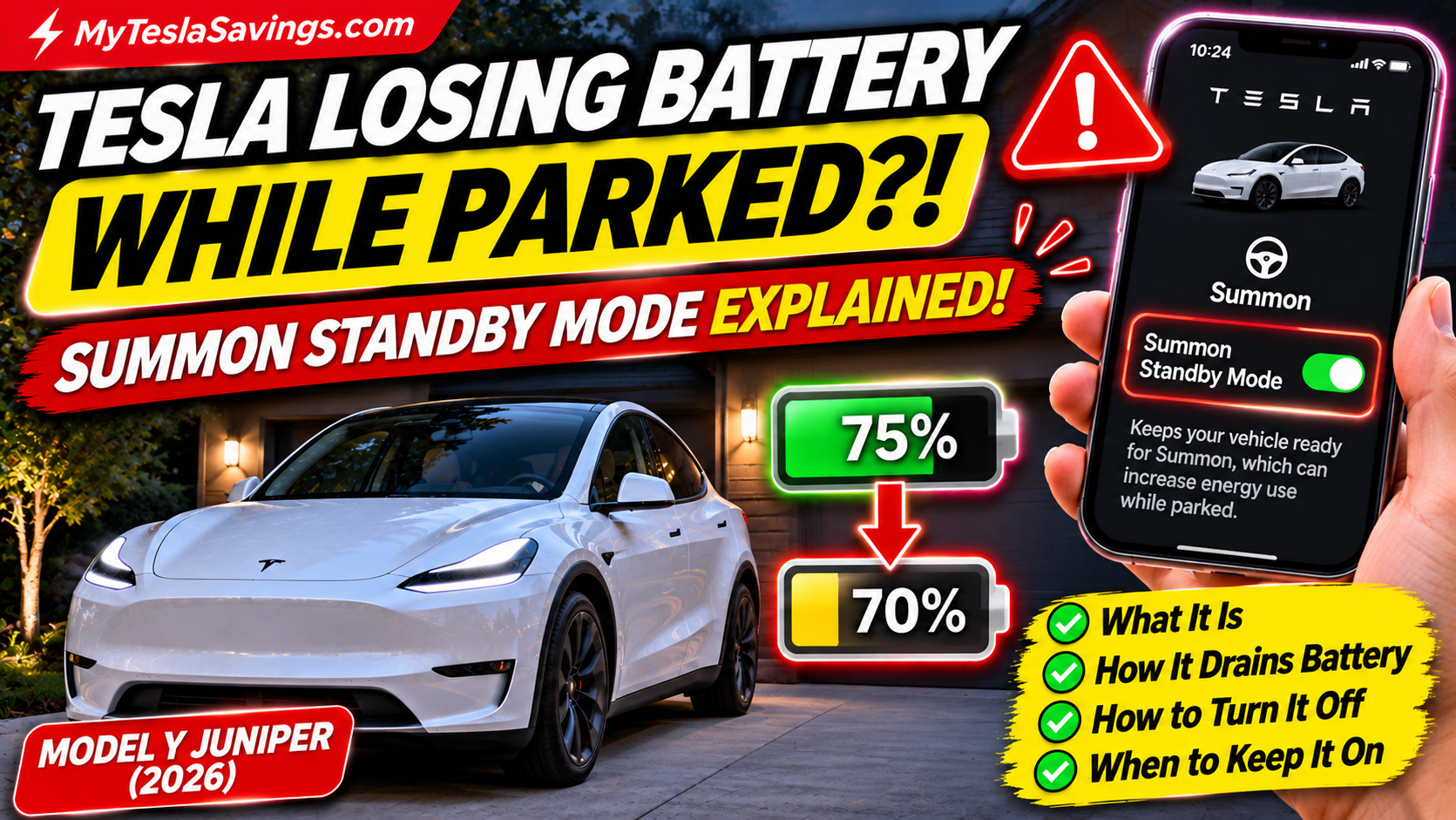
You park your Tesla Model Y for the night with 75% battery. The next morning, you’re down a few percentage points—even though you haven’t driven anywhere.
What’s going on?
You already checked Sentry Mode. Cabin Overheat Protection isn’t running. Your Tesla is just sitting in the driveway.
But there’s another feature worth investigating:
Summon Standby Mode.
Tesla’s Summon Standby Mode is designed to keep your vehicle ready for certain Summon features, reducing the time needed to begin a maneuver.
That convenience can come with additional energy consumption while your vehicle is parked.
If you rarely use Summon, leaving Standby Mode enabled may be unnecessary.
In this guide, we’ll explain what Tesla Summon Standby Mode does, why it can contribute to parked battery drain, how to disable it, and when it makes sense to leave it on.
Quick Answer: Does Tesla Summon Standby Mode Drain Battery?
Yes. Summon Standby Mode can increase battery consumption while your Tesla is parked.
When enabled, the vehicle keeps certain systems ready to respond to Summon requests rather than allowing all eligible systems to enter their lowest-power states.
However, the amount of energy consumed varies depending on the vehicle, software, temperature, and other active features.
Tesla does not publish one universal percentage of battery drain per hour that applies to every vehicle.
If you’re experiencing unexpected battery loss while parked, checking Summon Standby Mode is a reasonable troubleshooting step—provided your vehicle supports the feature.
1. What Is Tesla Summon Standby Mode?
Summon Standby Mode is associated with Tesla’s Summon functionality.
Summon features allow eligible Tesla vehicles to perform certain low-speed parking maneuvers while the driver supervises the vehicle from outside.
The exact capabilities depend on the vehicle, hardware, software, region, and purchased or subscribed features.
Standby Mode is intended to reduce the delay before a Summon session begins.
Instead of waiting for relevant vehicle systems to initialize, the Tesla keeps them prepared.
Why This Matters for Battery Life
Your Tesla uses energy even when it’s parked.
Some systems remain available for security, connectivity, thermal management, and other functions.
When Summon Standby Mode is active, additional systems may remain ready.
That can increase energy use compared with allowing the vehicle to sleep normally.
2. How Much Battery Does Summon Standby Mode Use?
There isn’t a single reliable battery-drain figure that applies to all Tesla models.
Energy consumption can depend on several factors:
- Vehicle model and hardware
- Software version
- Ambient temperature
- Other active vehicle features
- How long the vehicle remains parked
- Whether the vehicle enters a low-power sleep state
Some owners may notice relatively little difference during a short parking session.
Others may find the feature contributes to more noticeable energy loss over longer periods.
Important: Don’t assume every percentage point lost overnight comes from Summon Standby Mode.
Battery percentage estimates can also shift as temperature changes, and other vehicle systems may consume energy.
A Simple Way to Estimate Your Own Energy Use
Imagine your Tesla has a usable battery capacity of approximately 75 kWh.
A 1% change represents roughly:
75 kWh × 0.01 = 0.75 kWh
A 3% change represents approximately:
75 kWh × 0.03 = 2.25 kWh
These figures are illustrative. They don’t establish how much energy Summon Standby Mode itself consumes.
Your vehicle’s actual usable battery capacity and state-of-charge estimation may differ.
3. How to Turn Off Tesla Summon Standby Mode
If your Tesla supports Summon Standby Mode, you can review its setting on the vehicle touchscreen.
Step-by-Step Instructions
- Park your Tesla safely.
- Open Controls.
- Navigate to the Self-Driving or Autopilot settings, depending on your software.
- Look for Summon settings.
- Find Standby Mode, if available.
- Turn the setting off.
- Confirm your selection.
The exact menu labels and availability can vary by model, hardware, and software version.
If you don’t see Standby Mode, your vehicle may not support it, the relevant Summon functionality may be unavailable, or the setting may be located differently.
Turning off Standby Mode does not necessarily remove Summon functionality. It may simply mean that initiating Summon takes longer.
4. When Should You Leave Summon Standby Mode On?
There are situations where keeping Standby Mode enabled may be useful.
For example, if you regularly use a supported Summon feature in a parking environment where it’s permitted and safe, you might appreciate faster initialization.
Reasons to Keep It Enabled
- You frequently use Summon.
- You prefer faster feature readiness.
- Your vehicle is regularly connected to charging.
- The additional parked energy use is acceptable to you.
Reasons to Turn It Off
- You rarely use Summon.
- Your Tesla frequently sits unplugged for extended periods.
- You’re troubleshooting parked battery drain.
- You want to minimize unnecessary background energy use.
For many owners who rarely use Summon, disabling Standby Mode is a reasonable choice.
5. Does Turning Off Summon Standby Mode Affect Full Self-Driving?
Summon Standby Mode is not the same as Full Self-Driving (Supervised).
They are different functions.
Turning off Summon Standby Mode should not be confused with disabling your vehicle’s entire driving-assistance system.
However, feature availability and configuration depend on your Tesla’s hardware, software, and package.
Review your vehicle’s current Owner’s Manual for the exact behavior.
Remember that Tesla’s driving-assistance features require appropriate driver supervision.
6. Other Tesla Features That Can Drain Battery While Parked
If disabling Summon Standby Mode doesn’t solve the problem, investigate other features.
Sentry Mode
Sentry Mode monitors your vehicle’s surroundings using available cameras and sensors.
Because it keeps certain systems active, it can increase parked energy consumption.
If your Tesla is parked in a secure location, you may decide to disable Sentry Mode when appropriate.
Cabin Overheat Protection
Cabin Overheat Protection can activate climate-related systems when the cabin reaches configured temperature thresholds.
This can consume energy, particularly in hot weather.
It is not a substitute for supervising children or pets, and it should not be relied upon as a safety system for occupants.
Climate Keep
Climate Keep maintains cabin temperature after parking.
This requires energy and can reduce available range.
Dog Mode and Camp Mode
These modes maintain certain cabin and vehicle functions while parked.
They can use substantial energy depending on conditions.
Battery Temperature Management
Your Tesla may heat or cool the battery to protect it or prepare it for operation.
This is normal vehicle behavior.
Frequent App and Third-Party Access
Repeatedly waking the vehicle through connected apps or services may interfere with sleep behavior in some circumstances.
If you’re investigating phantom drain, review connected services and avoid unnecessary vehicle wake-ups.
7. How to Test Whether Summon Standby Mode Is Causing Battery Drain
Instead of guessing, try a simple comparison.
Night 1: Record Your Normal Behavior
Park your Tesla at home.
Record:
- Starting battery percentage
- Outside temperature
- Sentry Mode status
- Summon Standby Mode status
- Cabin Overheat Protection status
- Whether the vehicle is plugged in
Leave the vehicle parked overnight.
Check the battery percentage the following morning.
Night 2: Disable Summon Standby Mode
Repeat the test under similar conditions.
Keep other settings as consistent as practical.
Turn Summon Standby Mode off.
Compare the results.
Example Results
| Test | Starting Battery | Ending Battery | Change |
|---|---|---|---|
| Standby enabled | 75% | 72% | -3 percentage points |
| Standby disabled | 75% | 74% | -1 percentage point |
These numbers are hypothetical examples, not measured Tesla results.
If you repeatedly see less parked energy consumption with Standby Mode disabled, it may be contributing.
However, a two-night test cannot establish the exact cause.
Temperature, battery estimation, background activity, and other variables can affect the results.
8. Does Summon Standby Mode Work on the Tesla Model Y Juniper?
Not every Tesla Model Y has identical Summon capabilities.
The refreshed Model Y Juniper uses newer vehicle hardware and software than earlier generations.
Availability of Summon and Standby Mode depends on the specific vehicle configuration, software, region, and eligibility.
Do not assume that every 2025 or 2026 Model Y Juniper has a Summon Standby Mode setting.
Check your vehicle’s touchscreen and current Owner’s Manual.
If the option isn’t available, focus on other possible sources of parked energy consumption.
9. How to Reduce Tesla Battery Drain While Parked
If your goal is to preserve as much range as practical, use this checklist.
Disable Features You Don’t Need
Review Summon Standby Mode, Sentry Mode, and cabin climate settings.
Keep features enabled when their benefits outweigh the energy cost.
Avoid Unnecessary Vehicle Wake-Ups
Limit repeated app checks while testing parked battery consumption.
Review third-party services connected to your Tesla account.
Plug In When Practical
Tesla generally recommends keeping your vehicle plugged in when it’s not in use, particularly during extreme temperatures.
Follow the charging recommendations for your specific battery type.
Review Energy Consumption
Use your Tesla’s available Energy app and charging information to understand vehicle energy use.
Keep Software Updated
Tesla software updates may include changes to energy management and other vehicle behavior.
Contact Tesla Service When Necessary
If your vehicle loses an unusually large amount of energy while parked and you can’t identify a reasonable explanation, request service.
Especially investigate repeated warnings or behavior that persists under comparable conditions.
10. Could Turning Off Summon Standby Mode Save Money?
Potentially.
Reducing unnecessary parked energy consumption means less electricity may be needed to replenish the battery.
The amount saved depends on how much energy the feature actually uses and what you pay for electricity.
Example Savings Calculation
Suppose disabling an unnecessary parked feature saves an average of 0.5 kWh per day.
At an electricity rate of $0.16 per kWh:
Daily savings: 0.5 × $0.16 = $0.08
Monthly savings: $0.08 × 30 = $2.40
Annual savings: $0.08 × 365 = $29.20
This is only a hypothetical example.
It is not a claim that Summon Standby Mode consumes 0.5 kWh daily or that disabling it will produce these savings.
Your actual results may be higher, lower, or negligible.
Calculate Your Tesla Ownership Savings
Want to see how electricity costs affect your Tesla ownership expenses?
Explore the free tools at MyTeslaSavings.com.
You can compare charging expenses, estimate potential savings, and plan more efficient road trips.
Frequently Asked Questions
Does Tesla Summon Standby Mode use battery while parked?
Yes. The feature can increase energy consumption because it keeps certain systems prepared for Summon operation.
Should I turn off Summon Standby Mode?
If you rarely use Summon and want to reduce parked energy consumption, turning it off is worth considering.
Will Summon still work with Standby Mode disabled?
On supported configurations, Summon may still be available, but initialization can take longer. Check your vehicle’s documentation.
Why can’t I find Summon Standby Mode?
Your vehicle may not support the feature, the relevant Summon functionality may not be enabled, or the setting may differ by software version.
Does Summon Standby Mode affect Sentry Mode?
These are separate features. Disabling one doesn’t necessarily disable the other.
Is Summon Standby Mode available on every Tesla Model Y?
No. Availability depends on hardware, software, region, and feature eligibility.
Can Summon Standby Mode cause phantom battery drain?
It can contribute to parked energy consumption, but other features and environmental conditions can also affect battery percentage.
Will disabling Summon Standby Mode increase my range?
Reducing parked energy consumption can preserve more battery energy for later driving. The actual improvement depends on your vehicle and usage.
Final Verdict: Is Tesla Summon Standby Mode Worth Leaving On?
Tesla Summon Standby Mode is designed for convenience.
If you frequently use supported Summon features, faster readiness may be valuable.
But if you rarely use Summon and your Tesla spends hours parked unplugged, keeping the vehicle prepared for a feature you don’t use may be unnecessary.
Our recommendation:
Check whether your vehicle supports Summon Standby Mode.
If it does and you rarely use Summon, try disabling the setting and monitoring parked battery consumption.
You may discover a simple way to reduce unnecessary energy use.
And if your Tesla continues losing more battery than expected, investigate Sentry Mode, climate features, third-party app activity, and battery temperature management.
Sometimes improving Tesla efficiency isn’t about changing how you drive.
It’s about understanding what your Tesla is doing while you’re not driving.
Related Tesla Guides
- Tesla Battery Draining Overnight? 10 Common Causes
- Tesla Sentry Mode Battery Drain Guide
- Tesla Cabin Overheat Protection Battery Drain
- Tesla Charging Slower Than Usual?
MyTeslaSavings.com is an independent Tesla enthusiast website. Features and settings vary by vehicle, software version, hardware, and region. Always follow Tesla’s official Owner’s Manual and safety instructions.