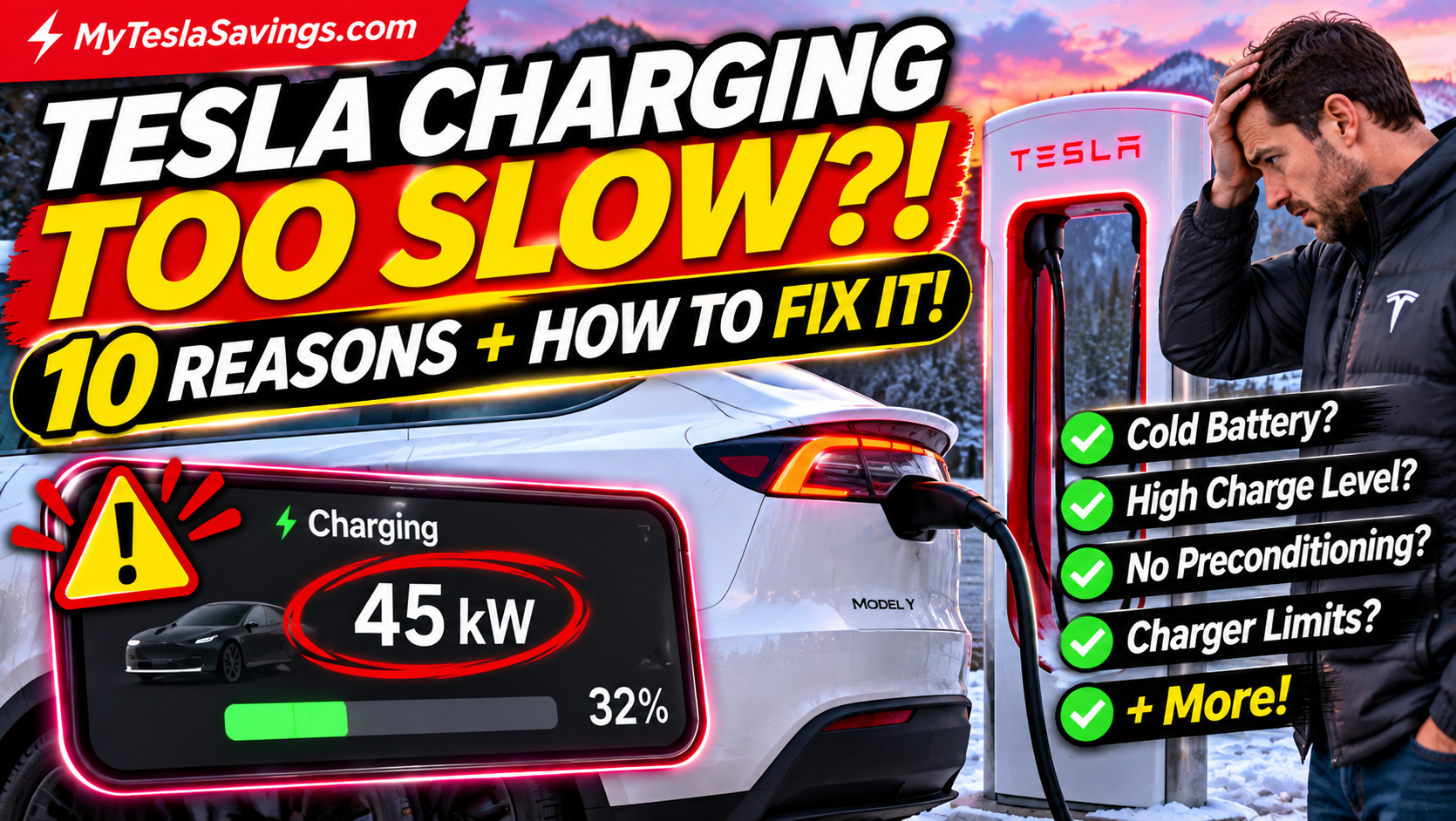
You pull into a Tesla Supercharger expecting a quick 15-minute stop. But instead of seeing impressive charging speeds, your screen shows just 45 kW.
You wait a few minutes.
Still slow.
Meanwhile, the Tesla next to you appears to be charging much faster.
Is something wrong with your battery? Is the Supercharger broken? Or is your Tesla deliberately limiting charging speed?
If you’ve experienced this with your Tesla Model Y or Model 3, you’re not alone.
The good news is that slower-than-expected charging doesn’t automatically mean your battery is failing.
In fact, Tesla charging speeds can vary significantly depending on battery temperature, charge percentage, charger capability, and several other factors.
In this guide, we’ll explain 10 reasons your Tesla may be charging slowly, how to troubleshoot the problem, and what you can do to spend less time waiting at charging stations.
Quick Answer: Why Is My Tesla Charging So Slowly?
The most common explanations include:
- Your battery is too cold.
- Your battery is already close to full.
- You didn’t precondition before Supercharging.
- You’re using a lower-powered charger.
- Your Supercharger stall may be sharing power.
- Your home charging amperage is limited.
- The charging equipment is reducing output.
- Your battery is too hot.
- Your vehicle is using energy for battery conditioning.
- Your Tesla has detected a charging-related issue.
The most important thing to understand: Tesla charging speed isn’t constant. Your vehicle automatically manages how much power the battery can safely accept.
1. Your Tesla Battery Is Too Cold
One of the biggest reasons Tesla charging slows down is cold weather.
Lithium-ion batteries don’t accept energy as efficiently when they’re cold.
To protect the battery, your Tesla may temporarily limit charging power until the battery warms up.
This is especially noticeable during winter.
Imagine leaving your Tesla parked outside overnight when temperatures are below freezing.
You drive five minutes to a nearby Supercharger and plug in.
Instead of immediately seeing high charging speeds, the vehicle begins charging slowly.
That’s because the battery may not be warm enough for optimal fast charging.
How to Fix It
Use Tesla’s battery preconditioning features before arriving at a fast charger.
When navigating to a Supercharger through Tesla’s built-in navigation, the vehicle can automatically prepare the battery for charging.
Tesla recommends navigating to a charging location approximately 30–45 minutes before arrival when practical, especially in cold weather.
Preconditioning time varies with temperature and driving conditions.
Tesla tip: If you frequently Supercharge during winter, plan your charging stops before leaving rather than waiting until you’re almost at the station.
2. Your Battery Is Already Above 80%
Have you ever noticed your Tesla charging quickly at 20% but dramatically slowing down after 80%?
That’s normal.
Tesla batteries use a charging curve.
Charging power generally starts higher when the battery has a lower state of charge and gradually decreases as the battery fills.
This is particularly noticeable near 100%.
Example: How Charging Speed Changes
These are illustrative values, not guaranteed charging rates for a particular Tesla:
| Battery Level | Typical Charging Behavior |
|---|---|
| 10–20% | Potential for higher fast-charging power |
| 20–50% | Often relatively fast under suitable conditions |
| 50–80% | Charging power generally tapers |
| 80–90% | Charging becomes noticeably slower |
| 90–100% | Charging can be substantially slower |
Actual charging speeds depend on your Tesla model, battery, temperature, and charger.
How to Fix It
For road trips, avoid charging to 100% at every stop unless necessary.
Tesla’s navigation system can recommend the charge needed to reach your next destination or charging stop.
Sometimes leaving at 65% or 75% and charging again later is faster than waiting to reach 100%.
Always maintain enough range for your route and a reasonable safety margin.
3. You Didn’t Precondition Before Supercharging
This is one of the easiest charging mistakes to make.
You see a Supercharger along the highway and decide to stop.
But instead of selecting the charger in Tesla navigation, you simply drive there.
Your vehicle may not have had the opportunity to prepare the battery for fast charging.
Why Preconditioning Matters
Battery preconditioning adjusts the battery’s temperature to support better charging performance.
Without it, the battery may be too cold—or otherwise outside its ideal temperature range—to accept maximum charging power.
How to Fix It
- Open your Tesla’s navigation.
- Search for a Supercharger.
- Select the charging location.
- Navigate to it using the vehicle’s route guidance.
- Allow the vehicle to manage battery preconditioning when needed.
You may see a message indicating that the battery is preconditioning for fast charging.
Important: Simply driving to a Supercharger doesn’t guarantee that the battery has reached its ideal temperature.
4. You’re Using a Slower Charging Station
Not every EV charger provides the same power.
Some Tesla Supercharger locations have higher maximum power ratings than others.
And home chargers operate at substantially lower power levels than DC fast chargers.
Tesla Charging Options Compared
| Charger Type | General Charging Capability |
|---|---|
| Standard household outlet | Slow Level 1 charging |
| 240V home outlet | Faster Level 2 charging, depending on circuit |
| Tesla Wall Connector | Level 2 charging, limited by installation and vehicle |
| Public Level 2 charger | Varies by equipment and vehicle |
| DC fast charger | Higher-power charging, depending on vehicle and station |
| Tesla Supercharger | Fast DC charging with site-specific power limits |
How to Fix It
Before arriving, check the charging station details in Tesla navigation.
Tesla displays charging-location information, including the maximum power available at supported Supercharger sites.
If you’re planning a road trip, consider the charging capabilities of your planned stops.
A charger advertised at 250 kW doesn’t mean your Tesla will continuously receive 250 kW.
The vehicle’s own maximum charging capability and current battery conditions still apply.
5. Your Supercharger Stall Is Sharing Power
At some older Supercharger installations, neighboring stalls share charging power.
If another vehicle is charging on the paired stall, available power may be affected.
This doesn’t apply equally to every Supercharger generation.
Newer charging equipment can use different power-sharing arrangements.
How to Fix It
At a location with paired stalls, choose an unpaired available stall when possible.
Tesla’s Owner’s Manual advises leaving space between vehicles at Superchargers where neighboring stalls may share power.
However, don’t assume every slow session is caused by another vehicle.
Battery temperature and state of charge are often more important.
6. Your Home Charging Amperage Is Set Too Low
If your Tesla is charging slowly at home, the explanation may be completely different.
Home charging speed depends on the electrical circuit, charging equipment, and your Tesla’s onboard charging capability.
Your vehicle may also have a charging-current limit set below what the equipment can safely provide.
For example, a properly configured 240V charging setup at 32 amps supplies approximately:
240 volts × 32 amps = 7,680 watts, or 7.68 kW
A 240V setup at 16 amps supplies approximately 3.84 kW.
That’s roughly half the electrical power.
How to Fix It
Check the charging screen in your Tesla.
Look for the current charging amperage and any alerts.
If your charging current is lower than expected, confirm the electrical circuit and charging equipment ratings.
Never increase the charging current beyond what the circuit, outlet, wiring, and charging equipment are rated to support.
If you’re unsure about your home’s charging installation, consult a qualified electrician.
Still Charging From a Wall Outlet? Upgrade Your Home Setup!
Tired of waiting forever for your EV to charge at home? The ChargePoint Home Flex is a smart Level 2 home EV charging station with adjustable charging power, Wi-Fi connectivity, and a convenient 23-foot cable. Enjoy the convenience of plugging in at home and starting your next morning with more range.
- Adjustable output to match a properly installed dedicated electrical circuit
- Smart app features for charging schedules and session monitoring
- Hardwired design for indoor or outdoor installation
- Long charging cable for flexible garage or driveway placement
Maximum charging performance depends on vehicle capability, electrical installation, and selected amperage. The animated charging bar is illustrative and does not show live vehicle charging. Confirm connector type, installation requirements, product variant, and availability before purchasing. As an Amazon Associate, MyTeslaSavings.com earns from qualifying purchases.
7. Your Charger Is Reducing Power Because of Heat
Charging equipment can reduce its output when temperatures become excessive.
This may involve the charging cable, connector, outlet, or internal charging equipment.
For home charging, overheated outlets or poor electrical connections can be particularly concerning.
Warning Signs
- Charging current unexpectedly drops.
- The Tesla displays a charging-related warning.
- Charging repeatedly stops and restarts.
- A connector or outlet becomes unusually hot.
- You notice discoloration, a burning smell, or damaged equipment.
How to Fix It
Check your Tesla’s charging alerts.
If you notice a burning smell, damaged wiring, discoloration, or excessive heat, stop charging and arrange professional inspection.
Do not continue using questionable charging equipment.
Never modify charging connectors or electrical wiring to bypass safety protections.
8. Your Tesla Battery Is Too Hot
Cold weather isn’t the only temperature-related factor.
Extremely hot weather can also affect charging performance.
During fast charging, the battery generates heat.
Tesla’s thermal management system works to maintain appropriate operating temperatures.
If the battery becomes too hot, charging power may be reduced to protect it.
How to Fix It
Allow the vehicle’s thermal management system to operate normally.
Use Tesla navigation to plan charging stops.
If you’re repeatedly seeing unusually low charging power during hot weather, check for vehicle alerts.
Don’t attempt to manually cool the high-voltage battery or charging components.
Tesla’s battery thermal management is designed to operate automatically.
9. Your Tesla Is Using Energy to Condition the Battery
Sometimes your Tesla may be drawing power from a charger while also using energy to heat or cool its battery.
This can affect how much energy is actually being stored.
It’s particularly noticeable in very cold weather.
For example, your charging equipment may be supplying energy while the vehicle is simultaneously warming its battery.
The amount of energy added to the battery can therefore differ from the total energy delivered by the charger.
How to Fix It
Use scheduled preconditioning when appropriate.
At home, leaving your Tesla plugged in and scheduling charging around your departure time can help the vehicle manage battery temperature.
If you’re preparing for a road trip, use Tesla navigation to select the charging location in advance.
10. Your Tesla Has Detected a Charging Problem
Sometimes slower charging really does indicate an issue.
Your Tesla may reduce charging power when it detects a problem with the charger, cable, electrical supply, or vehicle.
Possible Warning Signs
- Charging power is unusually low across multiple stations.
- The vehicle displays repeated charging alerts.
- Charging unexpectedly stops.
- A previously reliable home charger no longer performs normally.
- The charge port indicator shows an error condition.
How to Troubleshoot
- Check your Tesla touchscreen for charging alerts.
- Confirm the charging connector is properly seated.
- Inspect accessible charging equipment for obvious damage without touching exposed electrical components.
- If safe, try another compatible charging station.
- Compare results under similar battery conditions.
- Contact Tesla Service if the problem continues.
If your vehicle charges normally at another station, the original charger may have been contributing to the issue.
If charging remains abnormally slow everywhere, further vehicle diagnosis may be necessary.
How Fast Should a Tesla Model Y Charge?
Tesla advertises that certain Model Y configurations can add up to approximately 162 miles of range in 15 minutes at a suitable Supercharger.
That’s an ideal-condition marketing figure, not a promise that every Model Y will achieve that result.
Your actual charging experience depends on several factors.
These include:
- Model year and battery configuration
- Battery temperature
- Starting charge percentage
- Supercharger power rating
- Battery condition
- Weather
- Charging equipment availability
A 2026 Model Y may behave differently from an older Model Y, depending on configuration.
The most useful comparison is your own vehicle’s performance under similar conditions.
Tesla Charging at 45 kW Instead of 250 kW — Is That Normal?
It can be.
If your battery is cold, already at a high state of charge, or connected to equipment with limited output, 45 kW may be entirely explainable.
But if your Tesla consistently charges at 45 kW or less while the battery is warm, at a relatively low state of charge, and connected to a capable Supercharger, it’s worth investigating.
Remember that the 250 kW rating refers to a charger or supported vehicle’s potential peak capability.
It isn’t a constant charging rate.
Why Is My Tesla Charging Slower at Home Than at a Supercharger?
Home charging and Supercharging use different electrical systems.
Home Charging
Home charging generally uses alternating current (AC).
Your Tesla’s onboard charger converts that AC electricity into DC electricity for the battery.
Charging power depends on the circuit, EV charging equipment, and vehicle’s onboard charger.
Still Charging From a Wall Outlet? Upgrade Your Home Setup!
Tired of waiting forever for your EV to charge at home? The ChargePoint Home Flex is a smart Level 2 home EV charging station with adjustable charging power, Wi-Fi connectivity, and a convenient 23-foot cable. Enjoy the convenience of plugging in at home and starting your next morning with more range.
- Adjustable output to match a properly installed dedicated electrical circuit
- Smart app features for charging schedules and session monitoring
- Hardwired design for indoor or outdoor installation
- Long charging cable for flexible garage or driveway placement
Maximum charging performance depends on vehicle capability, electrical installation, and selected amperage. The animated charging bar is illustrative and does not show live vehicle charging. Confirm connector type, installation requirements, product variant, and availability before purchasing. As an Amazon Associate, MyTeslaSavings.com earns from qualifying purchases.
Supercharging
Tesla Superchargers supply direct current (DC) to the vehicle.
This allows much higher charging power than typical home charging.
But DC fast charging still depends on the battery’s ability to accept that power.
Which Is Better?
For everyday driving, home charging is often more convenient.
You can plug in overnight and start the next morning with the charge you need.
For road trips, Supercharging is generally more practical.
You can replenish a substantial amount of range during a relatively short stop.
Can You Save Money by Charging More Slowly?
Sometimes, but not simply because charging is slower.
Your electricity bill is generally based on the energy consumed, measured in kilowatt-hours (kWh), not just the charging speed.
For example:
Charging 30 kWh at $0.15 per kWh costs approximately:
30 × $0.15 = $4.50
Charging the same 30 kWh at the same rate costs roughly the same whether it takes four hours or eight hours, before accounting for charging losses and any time-based charges.
The bigger savings opportunities often come from:
- Charging during lower-cost electricity periods
- Using an efficient home charging setup
- Avoiding unnecessary charging losses
- Comparing home electricity rates with public charging prices
- Planning Supercharger stops strategically
Calculate Your Tesla Charging Savings
Want to know how much you’re actually spending?
Visit MyTeslaSavings.com to explore our Tesla charging calculators, road trip planning tools, and money-saving guides.
Compare home charging expenses with public charging and discover how your charging habits affect your ownership costs.
5 Things to Do Before Your Next Supercharger Stop
Here’s a quick checklist.
1. Navigate to the Supercharger. Give your Tesla time to precondition the battery when needed.
2. Check your charge percentage. Charging is often faster at a lower state of charge.
3. Review the station’s maximum power. Not every location provides the same capability.
4. Watch for vehicle alerts. Charging warnings can explain unexpected limitations.
5. Charge only as much as your route requires. Avoid waiting for 100% unless your trip needs it.
These habits can help make road trips more efficient.
Frequently Asked Questions
Why is my Tesla Supercharging so slowly?
Common reasons include a cold battery, high state of charge, limited charger output, lack of preconditioning, and charging equipment issues.
Why does my Tesla charge slower after 80%?
Charging power naturally decreases as the battery approaches full capacity. This helps protect the battery and manage charging conditions.
How do I make my Tesla Supercharge faster?
Navigate to the Supercharger using Tesla’s built-in navigation, allow time for preconditioning, and use a suitable fast-charging location. Actual charging power is managed automatically.
Does cold weather slow Tesla charging?
Yes. Cold battery temperatures can limit charging power until the battery warms sufficiently.
Should I precondition before every Supercharger visit?
Using Tesla navigation to a Supercharger is a good practice. The vehicle determines whether battery preconditioning is needed.
Why is my Tesla only charging at 16 amps at home?
Your charging equipment, circuit, vehicle setting, or a safety-related limitation may be restricting current. Verify the installation rating and check for alerts before changing anything.
Can a bad charging cable cause slow charging?
Yes. Damaged or overheating equipment can cause reduced charging power or charging interruptions. Stop using equipment showing signs of damage and have it inspected.
Is 250 kW the normal charging speed for every Tesla?
No. Not all Tesla vehicles support the same peak charging power, and even compatible vehicles generally achieve peak rates only under suitable conditions.
Does battery degradation affect Supercharging speed?
Battery condition and age can influence charging performance over time. However, a single slow session is not evidence that your battery has degraded significantly.
Is slower home charging bad for my Tesla battery?
Normal AC home charging is an intended charging method. Follow Tesla’s recommended charging limits and use properly installed equipment.
Final Verdict: Slow Tesla Charging Doesn’t Always Mean Something Is Wrong
If your Tesla suddenly seems to be charging slower than usual, don’t immediately assume you have a battery problem.
Start by checking the most common explanations.
Is your battery cold?
Are you charging above 80%?
Did you navigate to the Supercharger to allow preconditioning?
Is the charging station capable of delivering the power you expected?
In many cases, charging speed is being limited for perfectly normal reasons.
But if your Tesla consistently charges much slower than expected under suitable conditions—or displays repeated charging alerts—it’s worth contacting Tesla Service.
A little planning can make a big difference.
And the less time you spend waiting at a charger, the more time you have to enjoy the drive.
Related Tesla Owner Guides
- Tesla Battery Draining Overnight?
- Tesla Tire Pressure Warning Won’t Go Away?
- Tesla Model Y Juniper Preconditioning Guide
MyTeslaSavings.com is an independent Tesla enthusiast website. Charging capabilities and procedures vary by vehicle model, battery configuration, software version, and charging equipment. Always consult Tesla’s official documentation.