Your Tesla is parked in the sun. The cabin temperature is climbing. Then you notice something strange: your car is using battery even though you’re not driving.
Could Tesla’s Cabin Overheat Protection be responsible?
The short answer is yes. Tesla Cabin Overheat Protection can use battery power while your vehicle is parked, especially when the air conditioning is running.
But that doesn’t necessarily mean you should turn it off.
In this guide, we’ll explain exactly how Tesla Cabin Overheat Protection works, how much battery it might use, whether you should leave it enabled, and how to keep your Model 3 or Model Y cooler without unnecessarily sacrificing driving range.
What Is Tesla Cabin Overheat Protection?
Tesla Cabin Overheat Protection is a feature designed to reduce excessive heat buildup inside your parked vehicle.
When your Tesla is sitting outside on a hot day, sunlight entering through the windshield and glass roof can cause interior temperatures to rise significantly.
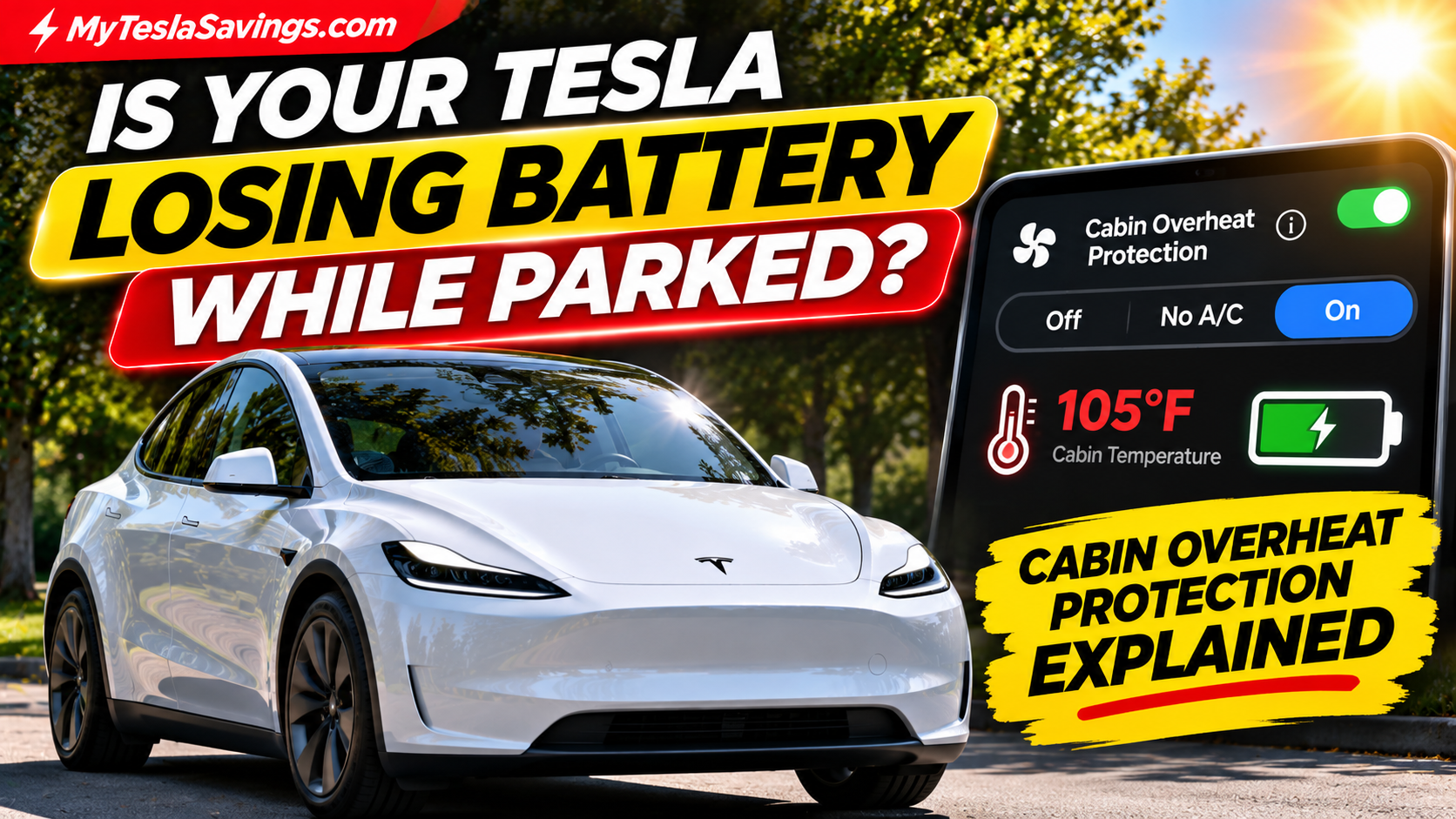
Cabin Overheat Protection can automatically activate the vehicle’s climate-control system when the interior reaches a specified temperature.
Depending on your Tesla’s model and software, you may have three settings:
- On: Uses air conditioning when the cabin exceeds approximately 105°F (40°C), or a different selectable threshold where supported.
- No A/C: Runs the fan without actively cooling the air.
- Off: Disables the feature.
Tesla describes this as a passenger-comfort feature rather than a requirement for protecting the vehicle’s components.
Does Tesla Cabin Overheat Protection Drain Your Battery?
Yes. Cabin Overheat Protection consumes energy when it runs.
Your Tesla’s air conditioning, fans, and climate-control electronics require electricity. When the car isn’t plugged in, that electricity comes from the vehicle’s battery.
The amount consumed depends on several factors:
- Outside temperature
- Direct sunlight versus shade
- How long the vehicle remains parked
- Cabin temperature threshold
- Whether air conditioning or fan-only mode is selected
- Vehicle efficiency and climate-control demand
How Much Battery Does It Actually Use?
There’s no single percentage that applies to every Tesla.
For example, if your vehicle’s climate system averaged 500 watts over four hours, it would consume approximately:
0.5 kW × 4 hours = 2 kWh
For a hypothetical Tesla with 75 kWh of usable battery capacity, that’s approximately 2.7% of the battery.
If the climate system averaged 1 kW over the same four hours, consumption would double to 4 kWh.
These are illustrative calculations, not measured consumption figures for Cabin Overheat Protection. Actual usage could be substantially different.
The important takeaway is that running air conditioning while parked uses energy, and that energy could otherwise be available for driving.
Tesla Cabin Overheat Protection: On vs. No A/C vs. Off
| Setting | What It Does | Battery Impact | Best For |
|---|---|---|---|
| On | Runs air conditioning above the threshold | Generally highest | Reducing excessive cabin heat |
| No A/C | Runs ventilation fan only | Generally lower | Owners prioritizing efficiency |
| Off | Does not activate Cabin Overheat Protection | No energy used by this feature | Maximum parked efficiency |
Which Setting Is Best?
For drivers who regularly park outdoors in hot weather, On may provide the most noticeable comfort benefit.
For drivers who want to reduce battery consumption but still allow some ventilation, No A/C is worth considering.
If your Tesla is parked in a garage or shaded location, you might prefer Off, especially if you’re trying to minimize parked energy usage.
Remember that the No A/C setting cannot cool the cabin below the temperature of the outside air simply by running a fan.
How to Turn On Tesla Cabin Overheat Protection
On supported Tesla Model 3 and Model Y vehicles:
- Open Controls on your Tesla touchscreen.
- Select Safety.
- Find Cabin Overheat Protection.
- Choose On, No A/C, or Off.
You can also access the feature through the Tesla mobile app on supported vehicles.
Open the Climate section, expand the available controls, and select your preferred Cabin Overheat Protection setting.
Menu layouts and available temperature thresholds can vary with software versions.
What Is Exclude Home?
Some Tesla configurations include an Exclude Home option.
When enabled, Cabin Overheat Protection won’t operate at the location you’ve saved as Home.
This can be particularly useful if your Tesla spends most of its time parked in a garage.
You can keep Cabin Overheat Protection available when parking elsewhere without having it activate at home.
How Long Does Tesla Cabin Overheat Protection Stay On?
Tesla’s current Model Y documentation states that Cabin Overheat Protection operates for up to 12 hours after you leave the vehicle, or until the battery reaches the threshold set for Low Power Mode, whichever happens first.
It may also take up to 15 minutes after exiting the vehicle before the feature becomes active.
Older vehicles and software versions can have different battery-threshold behavior, so check the Owner’s Manual for your exact vehicle.
This means Cabin Overheat Protection isn’t designed to keep your vehicle cool indefinitely.
Important: Never leave children or pets unattended in your Tesla and rely on Cabin Overheat Protection. The feature can stop operating, and cabin temperatures can become dangerous.
Does Cabin Overheat Protection Protect Your Tesla Battery?
This is one of the biggest misconceptions among Tesla owners.
Cabin Overheat Protection is designed primarily for passenger comfort.
Your Tesla already has separate thermal-management systems that regulate battery temperatures as needed.
Turning Cabin Overheat Protection off does not disable those battery-protection systems.
In fact, Tesla explicitly states that Cabin Overheat Protection is not necessary for the reliability of vehicle components.
So if your only reason for leaving the feature enabled is concern that your Tesla’s battery might overheat while parked, that isn’t what this feature is intended to address.
Does Cabin Overheat Protection Save Battery in the Long Run?
Not necessarily.
There’s a difference between reducing cabin temperature and reducing total energy consumption.
Keeping your Tesla cooler throughout the day may mean the cabin needs less cooling when you’re ready to drive.
However, running the air conditioning repeatedly while parked can consume more energy than simply cooling the cabin shortly before departure.
For owners focused on maximum efficiency, a useful strategy is:
Park in shade + use a windshield sunshade + precondition shortly before driving.
This approach helps reduce solar heat buildup without necessarily running the air conditioning throughout the entire parking period.
7 Ways to Keep Your Tesla Cooler Without Wasting Battery
1. Park in the Shade Whenever Possible
Even partial shade can reduce direct solar heating through the windshield and glass roof.
2. Use a Reflective Windshield Sun Shade
A reflective windshield shade can help block direct sunlight from heating the dashboard and front cabin.
This is one of the simplest accessories to consider if you regularly park outside.
Tesla Accessory Deal: EcoNour Windshield Sun Shade
Designed for compatible Tesla Model 3 and Model Y vehicles, the EcoNour sunshade offers a foldable design and reflective coverage.
Advertised sale price: $16.99 — 43% off the $29.99 list price.
Check the EcoNour Tesla Sun Shade on Amazon
Verify compatibility with your exact Tesla model year before purchasing. Pricing and discounts may change.
As an Amazon Associate, MyTeslaSavings.com earns from qualifying purchases.
3. Precondition Before You Leave
Instead of cooling your Tesla throughout the entire day, consider activating climate control shortly before you’re ready to drive.
You can do this from the Tesla app or use scheduled preconditioning.
4. Leave Your Tesla Plugged In When Practical
Tesla recommends leaving the vehicle plugged in when practical, especially when using preconditioning or Cabin Overheat Protection.
This allows the charging system to provide energy for climate-control operation instead of relying entirely on stored battery energy.
5. Try No A/C Mode
If you don’t need active cooling, the fan-only setting may reduce energy consumption compared with running the air conditioner.
However, it won’t necessarily keep the cabin at a comfortable temperature.
6. Use Exclude Home
If your Tesla is parked in a garage at home, excluding that location can help avoid unnecessary activation.
7. Review Other Parked Battery-Drain Features
Cabin Overheat Protection isn’t the only feature that consumes energy while parked.
Sentry Mode, third-party apps, scheduled climate functions, and other systems can contribute to parked energy consumption.
For a complete breakdown, read our guide:
Tesla Battery Draining Overnight? 10 Common Causes and How to Fix Them
Is Tesla Cabin Overheat Protection Worth Using?
It depends on how and where you park.
If you live in a hot climate and regularly leave your Tesla outside, Cabin Overheat Protection can make the vehicle more comfortable when you return.
If you’re focused on maximizing driving range, especially when parked for long periods without charging, leaving it off or selecting No A/C may be preferable.
For many owners, the best solution isn’t necessarily choosing one setting permanently.
It’s adjusting the feature to match your parking conditions.
Frequently Asked Questions
Does Tesla Cabin Overheat Protection work when the car is off?
Yes. On supported vehicles, the feature can activate after you’ve parked and exited the vehicle.
Does Cabin Overheat Protection use a lot of battery?
It depends on temperature, operating duration, and whether air conditioning is used. Fan-only mode generally requires less energy than active cooling.
Does Tesla Cabin Overheat Protection stop after 12 hours?
Tesla’s current Model Y manual specifies a maximum of 12 hours after leaving the vehicle, with earlier shutoff possible if the battery reaches the applicable Low Power Mode threshold.
Should I leave Cabin Overheat Protection on all the time?
Not necessarily. It’s a convenience feature. Consider your climate, parking location, and charging availability.
Does Cabin Overheat Protection keep pets safe?
No. It must never be relied on to protect unattended pets or children. Even with the feature enabled, the vehicle can become dangerously hot.
Why is my Tesla making noise while parked?
Your Tesla may operate cooling fans, pumps, or other thermal-management equipment even when parked.
Cabin Overheat Protection is one possible reason, but not the only one.
Does a windshield sunshade help?
A reflective windshield shade can reduce direct solar heating through the front windshield. Actual temperature reduction depends on the shade, vehicle, and conditions.
Does Cabin Overheat Protection work on the Tesla Model Y Juniper?
Cabin Overheat Protection is documented for current Model Y vehicles, although settings and software interfaces may vary by configuration.
Final Verdict: Should You Turn Tesla Cabin Overheat Protection Off?
If saving battery is your top priority, you don’t necessarily need Cabin Overheat Protection running all day.
Tesla designed the feature for comfort, not because your vehicle’s battery requires the cabin to remain below a particular temperature.
For owners who park outside in extreme heat, however, the added comfort may be worth the energy consumption.
Our preferred efficiency-focused approach is simple:
Use shade whenever possible, install a reflective windshield sunshade, and cool your Tesla shortly before departure.
That gives you a practical balance between comfort and battery efficiency.
And if you decide to leave Cabin Overheat Protection enabled, remember to monitor your vehicle’s battery level—especially during extended parking periods.
Related Tesla Owner Guides
- Tesla Battery Draining Overnight? 10 Common Causes
- Why Is My Tesla Making Noise While Parked?
- Tesla Model Y Juniper Preconditioning Guide
- EcoNour Tesla Windshield Sun Shade Review
Official Tesla References