Does preconditioning your Tesla Model Y Juniper actually save battery, or are you wasting electricity before you even start driving?
It’s one of the most common questions Tesla owners ask when temperatures begin dropping.
You open the Tesla app, turn on the heat, and watch your car prepare for your morning commute. But sometimes, the battery percentage drops before you’ve driven a single mile.
So is preconditioning worth it?
Yes — especially during winter. But how and when you precondition your Tesla makes a big difference.
The refreshed 2025–2026 Tesla Model Y Juniper includes battery thermal management and cabin climate technology designed to help manage cold-weather driving.
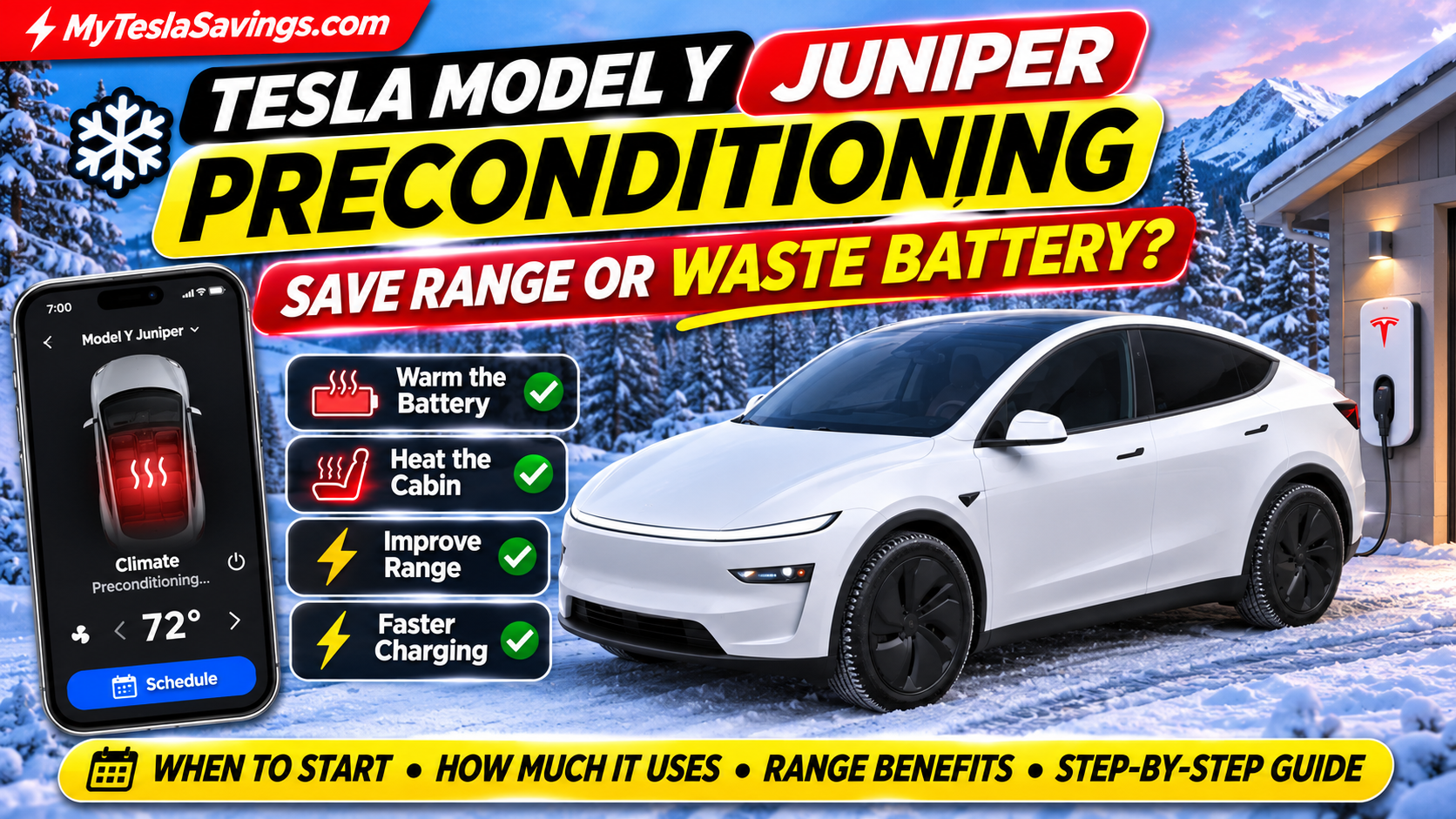
Preconditioning can improve cabin comfort, battery performance, regenerative braking availability, and charging efficiency.
However, it also consumes energy.
In this guide, we’ll explain exactly how Tesla Model Y Juniper preconditioning works, when to activate it, how much electricity it might use, and the best ways to get more value from every charge.
We’ll also cover the difference between preconditioning before driving and preconditioning before Supercharging.
Quick Answer: Should You Precondition Your Tesla Model Y Juniper?
Yes. In cold weather, preconditioning is generally beneficial, particularly when your Tesla is plugged into a charger.
Here’s what you need to know:
| Question | Quick answer |
|---|---|
| Should I precondition in winter? | Yes, particularly before cold departures |
| When should I start? | Tesla suggests allowing roughly 30–45 minutes in cold conditions |
| Does it use battery? | Yes, or external electricity when plugged in |
| Does it improve range? | It can reduce energy consumption during the subsequent drive |
| Does it help regenerative braking? | Yes, warming the battery can reduce cold-related limitations |
| Does it help Supercharging? | Yes, battery warming can improve charging performance |
| Should I precondition while plugged in? | Whenever practical |
| Can I schedule it automatically? | Yes, through the Tesla app or vehicle touchscreen |
The important distinction is that improved driving efficiency does not always mean lower total energy consumption. Preconditioning uses electricity, so the net benefit depends on your trip length, temperature, and whether the car is plugged in.
1. What Is Tesla Model Y Juniper Preconditioning?
Preconditioning is the process of preparing your Tesla’s cabin and battery before driving or charging.
During cold weather, the battery may be too cold to deliver its normal performance efficiently.
Tesla can use its thermal management system to bring the battery closer to a suitable operating temperature.
At the same time, the climate system can warm the cabin to your preferred temperature.
What Happens During Preconditioning?
Depending on the conditions, your Model Y Juniper may:
- Warm the high-voltage battery.
- Heat the passenger cabin.
- Prepare the battery for improved driving performance.
- Reduce cold-related regenerative braking limitations.
- Defrost windows and other exterior components when Defrost is selected.
- Prepare the battery for faster DC charging when navigating to a supported fast charger.
Preconditioning is particularly helpful when your Tesla has been parked outside overnight in freezing temperatures.
2. When Should You Start Preconditioning Your Tesla?
Tesla recommends activating climate preconditioning approximately 30–45 minutes before departure in cold weather.
However, this is a general recommendation, not a fixed requirement.
The actual time depends on outside temperature, battery temperature, vehicle conditions, and your desired cabin temperature.
Suggested Winter Preconditioning Approach
| Outside temperature | Practical approach |
|---|---|
| Above 50°F | Precondition mainly for comfort as needed |
| 32–50°F | Consider scheduled preconditioning before departure |
| 15–32°F | Allow additional time for cabin and battery warming |
| Below 15°F | Schedule ahead and plug in whenever possible |
| Extreme cold | Follow Tesla’s cold-weather guidance and allow extra preparation time |
These are practical temperature categories, not official Tesla temperature thresholds.
Example: Your Morning Commute
Imagine you leave for work every weekday at 7:30 AM.
Instead of opening the Tesla app at 7:25 AM and turning on the heat, schedule your Model Y to be ready at 7:30 AM.
Your Tesla can determine when to begin warming the cabin and battery.
Our recommendation: Use scheduled preconditioning for predictable departures instead of manually guessing when to start.
3. How to Schedule Tesla Model Y Juniper Preconditioning
One of the most useful features of the refreshed Model Y is the ability to automate preconditioning.
You can configure this directly through the vehicle touchscreen or Tesla mobile app.
Option 1: Schedule Preconditioning From Your Tesla
- Open Controls on the touchscreen.
- Select Schedule.
- Choose the location.
- Select Precondition.
- Set your desired departure time.
- Select the days you want the schedule to repeat.
- Save your schedule.
Your Tesla will determine when to start preparing the cabin and battery.
Option 2: Schedule Preconditioning From the Tesla App
- Open the Tesla mobile app.
- Select Schedule.
- Choose the appropriate location.
- Create a preconditioning schedule.
- Set the departure time and days.
- Save your settings.
For example, you could schedule preconditioning every Monday through Friday at 7:30 AM.
Why Scheduling Is Better Than Manually Starting Climate
Scheduling can help avoid:
- Forgetting to precondition.
- Starting too late.
- Heating the vehicle unnecessarily early.
- Leaving the cabin cold before your commute.
It also makes winter ownership more convenient.
4. How Much Battery Does Tesla Preconditioning Use?
This is where many Tesla owners become confused.
Preconditioning consumes energy because heating the battery and cabin requires electricity.
But there is no single fixed percentage of battery that every Model Y Juniper uses during preconditioning.
Energy consumption varies based on:
- Outside temperature.
- Battery temperature.
- Cabin temperature setting.
- Duration.
- Whether the vehicle is plugged in.
- Available charging power.
- How much battery warming is needed.
Example Preconditioning Energy Costs
The following table illustrates the cost of different amounts of preconditioning energy at an assumed electricity rate of $0.15 per kWh.
| Energy consumed | Cost per session | Cost for 30 sessions |
|---|---|---|
| 0.5 kWh | $0.08 | $2.25 |
| 1.0 kWh | $0.15 | $4.50 |
| 1.5 kWh | $0.23 | $6.75 |
| 2.0 kWh | $0.30 | $9.00 |
| 3.0 kWh | $0.45 | $13.50 |
These are hypothetical energy-use scenarios, not measured Model Y Juniper preconditioning results. Costs are rounded.
For example, if your preconditioning session consumes 2 kWh, the electricity cost at $0.15 per kWh would be approximately $0.30.
That may be worthwhile for a warmer cabin, improved battery readiness, and better cold-weather driving comfort.
However, the exact cost and net energy savings depend on your circumstances.
Does Preconditioning Drain Your Battery?
If your Tesla is unplugged, the energy generally comes from the vehicle’s battery.
If your Tesla is plugged in, it can draw power from the charging source, subject to the charging equipment’s available power and other conditions.
That’s why plugging in before preconditioning is particularly beneficial.
5. Why Preconditioning While Plugged In Is Better
One of Tesla’s most important winter recommendations is to leave your vehicle plugged in when practical.
Here’s why.
When your Model Y Juniper is connected to a suitable charger, preconditioning can use external electricity instead of relying entirely on stored battery energy.
This helps preserve more battery charge for your drive.
Plugged In vs. Unplugged
| Feature | Plugged in | Unplugged |
|---|---|---|
| Cabin warming | Yes | Yes |
| Battery warming | As needed | As needed |
| External power available | Yes | No |
| Battery energy used for heating | Can be reduced | Comes from vehicle |
| Best for preserving departure charge | Generally yes | Less favorable |
Important: Being plugged in does not guarantee zero battery drain. A low-power charging source may not supply enough power to cover all heating needs.
Example: Charging at Home
Imagine your Tesla is parked in your driveway overnight.
You have a home charging setup and normally leave for work at 7:30 AM.
You could:
- Plug in your Model Y overnight.
- Set your desired charging limit.
- Schedule charging to finish near departure.
- Schedule preconditioning for 7:30 AM.
- Leave with a warm cabin and prepared battery.
Tesla notes that scheduling charging to finish closer to departure can reduce the energy needed to rewarm a battery that would otherwise cool down after charging.
Related reading: Explore our Tesla Home Charger Payback Calculator to understand the potential financial benefits of home charging.
6. Does Tesla Preconditioning Actually Save Winter Range?
It can improve driving efficiency and available range, but the results depend on how you measure the savings.
This is an important distinction.
When your battery and cabin are cold, your Tesla may need to consume energy warming them while you’re already driving.
Preconditioning shifts some of that heating work to before departure.
If the vehicle is plugged in, some of that energy can come from your home electricity supply rather than the battery.
Example: Preconditioning Before a Winter Drive
Imagine two identical Model Y Juniper vehicles parked outside overnight.
Vehicle A: No Preconditioning
- Cabin is cold at departure.
- Battery may be cold.
- Heating demand occurs during the drive.
- Regenerative braking may be limited initially.
Vehicle B: Scheduled Preconditioning
- Cabin is warm at departure.
- Battery has been prepared as needed.
- Some heating demand has already been met.
- Cold-related regenerative braking limitations may be reduced.
Vehicle B may consume less battery energy during the drive.
However, that doesn’t automatically mean it used less electricity overall.
Why Short Trips Are Different
Suppose you’re driving only three miles to the grocery store.
Running a lengthy preconditioning session could use more energy than the short drive would otherwise require for heating.
For a longer commute, the balance may be different.
Bottom line: Preconditioning is especially valuable for comfort and battery readiness. Whether it reduces total energy use depends on the conditions.
7. Tesla Battery Preconditioning vs. Cabin Preconditioning
These two terms are often used interchangeably, but they aren’t exactly the same.
Cabin Preconditioning
This prepares the passenger compartment.
Benefits include:
- Comfortable interior temperature.
- Defrosted or defogged windows.
- Warm seats and steering wheel when activated.
- Less need for aggressive cabin heating after departure.
Battery Preconditioning
This prepares the high-voltage battery for driving or charging.
Benefits can include:
- Improved battery performance.
- Reduced cold-related regenerative braking limitations.
- Better charging readiness.
- Improved energy management.
Can You Precondition Only the Battery?
For normal daily driving, Tesla generally manages battery heating automatically as needed when you activate supported climate or scheduled preconditioning functions.
There isn’t a universal independent battery-only heating switch for everyday departures.
Battery preparation for Supercharging is a separate process, which we’ll cover next.
8. How Tesla Supercharger Preconditioning Works
Preconditioning before driving and preconditioning before Supercharging serve different purposes.
When you’re driving to a Supercharger, your Tesla may automatically heat its battery so it can accept DC charging power more effectively upon arrival.
How to Activate Supercharger Preconditioning
The simplest method is to use Tesla’s built-in navigation.
- Open your Tesla navigation system.
- Select your intended Supercharger.
- Begin navigating to the location.
- Continue driving toward the charger.
- Let the vehicle manage battery preparation automatically.
Tesla recommends navigating to a charging location for approximately 30–45 minutes before arrival when practical.
Why This Matters in Winter
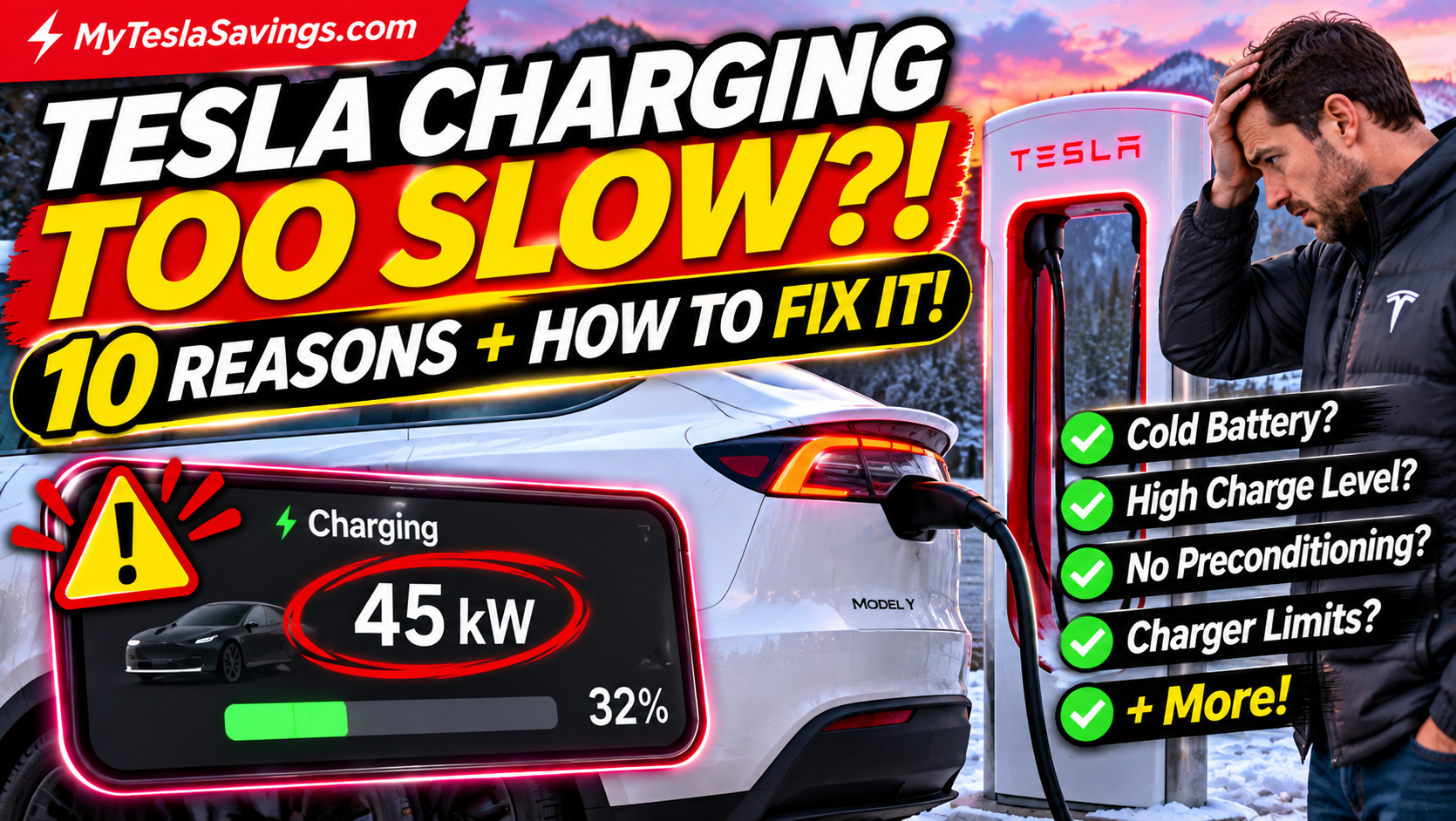
Cold batteries generally cannot accept high charging power as readily as batteries at suitable operating temperatures.
Without adequate preparation, you may experience slower charging.
A prepared battery can help reduce charging time, although actual charging speeds depend on many factors.
Important Mistake to Avoid
Don’t assume that simply opening the Tesla app and turning on cabin heat provides the same battery preparation as navigating to a Supercharger.
The vehicle manages these processes differently.
Related reading: Use our Tesla Road Trip Planner to prepare your charging stops before your next winter trip.
9. Does Preconditioning Improve Regenerative Braking?
Yes, it can.
Cold temperatures can temporarily limit how much regenerative braking your Tesla can provide.
When the battery is cold, the vehicle may restrict how quickly it can accept energy recovered during deceleration.
As the battery warms, regenerative braking availability can improve.
What You Might Notice
During freezing weather, you may see:
- A cold-battery indicator.
- Reduced regenerative braking.
- Different deceleration behavior.
- Regenerative braking availability improving as you drive.
Preconditioning can help reduce these limitations before departure.
However, always remain prepared to use the brake pedal as needed.
10. Five Common Tesla Preconditioning Mistakes
Even experienced Tesla owners can make mistakes when preparing for winter driving.
Mistake #1: Preconditioning Too Early
Turning on climate long before you actually leave can waste energy.
Better approach: Use scheduled departure so the vehicle determines when to begin.
Mistake #2: Preconditioning While Unplugged When Charging Is Available
Using battery energy for heating can reduce the charge available at departure.
Better approach: Plug in whenever practical.
Mistake #3: Expecting Preconditioning to Eliminate Winter Range Loss
Preconditioning helps, but cold temperatures, highway speed, winter tires, wind, and cabin heating still affect consumption.
Better approach: Plan with additional range margin.
Mistake #4: Not Navigating to a Supercharger
Simply driving toward a charger without selecting it in navigation may miss the intended automatic charging preparation.
Better approach: Navigate to the Supercharger using the Tesla system.
Mistake #5: Assuming Longer Preconditioning Is Always Better
More heating isn’t automatically more efficient.
Better approach: Use Tesla’s scheduling features and adjust your routine based on actual energy consumption.
How to Measure Your Own Preconditioning Energy Usage
Want to know whether preconditioning makes sense for your driving habits?
You can run a simple comparison.
Step 1: Choose Similar Winter Days
Compare days with similar outside temperatures and driving conditions.
Step 2: Record Your Starting Battery Percentage
Note your battery level before preconditioning and at departure.
Step 3: Check Energy Consumption
Use the Energy app to review parked and driving consumption where available.
If charging at home, review charger energy usage as well.
Step 4: Compare Similar Drives
Track energy consumed during comparable trips with and without preconditioning.
Step 5: Consider Total Electricity
For a fair comparison, include both:
- Energy used before departure.
- Energy used during the drive.
This matters because a lower driving consumption figure does not necessarily mean lower total energy consumption.
For example, if preconditioning uses 1.5 kWh and saves 0.8 kWh during the drive, total electricity consumption increases by 0.7 kWh.
However, you may still benefit from a warmer cabin, better battery readiness, and less battery energy consumed after unplugging.
Tesla Model Y Juniper Preconditioning FAQs
How long should I precondition my Model Y Juniper?
Tesla recommends allowing approximately 30–45 minutes in cold weather, depending on conditions. Scheduled preconditioning is preferable because the vehicle determines when to start.
Does Tesla preconditioning use a lot of battery?
Energy use varies considerably. Battery temperature, outside temperature, cabin settings, and duration all affect consumption. There is no universal percentage.
Should I precondition my Tesla every morning?
During cold weather, scheduled preconditioning can be useful for regular departures. In mild weather, it may be unnecessary unless you want a more comfortable cabin.
Does preconditioning save battery?
It can reduce battery energy consumed during the subsequent drive, particularly when preconditioning while plugged in. It does not always reduce total electricity consumption.
Can I precondition my Tesla without being plugged in?
Yes, provided the vehicle has sufficient available energy and the feature is permitted under its current operating conditions.
Does Tesla preconditioning help with snow and ice?
Yes. Defrost Car can help melt snow, ice, and frost from certain exterior areas. You must still ensure all windows, lights, cameras, and other required surfaces are clear before driving.
Does preconditioning improve Supercharging speed?
It can. Preparing the battery for DC fast charging helps the battery reach a more suitable temperature for charging.
Can I manually activate battery preconditioning?
Tesla manages battery heating automatically through supported vehicle functions. Navigating to a Supercharger is the standard way to request charging-related battery preparation.
Does preconditioning improve regenerative braking?
It can reduce cold-related regenerative braking limitations by warming the battery.
Is preconditioning worth it for short trips?
It depends. Comfort benefits may be worthwhile, but extended preconditioning can use more energy than it saves during a short trip.
Does the Model Y Juniper heat pump help in winter?
The Model Y’s heat pump system supports efficient cabin heating and thermal management. Its effectiveness and energy consumption still depend on weather and operating conditions.
Should I precondition before a winter road trip?
Yes, especially when the vehicle has been parked in freezing temperatures. Also use Tesla navigation for Supercharger stops and allow additional charging and range margin.
Final Verdict: Is Tesla Model Y Juniper Preconditioning Worth It?
For most Tesla owners driving in cold weather, preconditioning is worth using — especially when plugged in.
It can make your Model Y Juniper more comfortable, prepare the battery for driving, reduce cold-related regenerative braking limitations, and help with fast-charging performance.
But don’t confuse improved driving efficiency with guaranteed electricity savings.
The smartest approach is simple:
- Plug in when practical.
- Schedule preconditioning around your departure.
- Let the vehicle manage battery warming.
- Navigate to Superchargers using Tesla navigation.
- Monitor your actual energy consumption.
With the right routine, you can make winter Tesla ownership more comfortable and predictable without unnecessarily wasting electricity.
Keep Your Tesla Winter-Ready
Explore more Tesla winter guides and money-saving resources at MyTeslaSavings.com:
- Tesla Model Y Juniper Winter Range: Understand how freezing temperatures affect driving range.
- 10 Best Tesla Model Y Juniper Winter Accessories: Find winter tires, floor mats, snow covers, tire inflators, and more.
- Tesla Battery Draining Overnight: Discover common causes of parked battery drain.
- Tesla Charging Savings Calculator: Compare home and public charging costs.
- Tesla Road Trip Planner: Plan charging stops for your next trip.
Save more. Drive smarter. Get more from your Tesla.
Disclaimer: Vehicle behavior and menu options can vary by software version, region, and configuration. Always follow the Owner’s Manual for your specific Tesla.