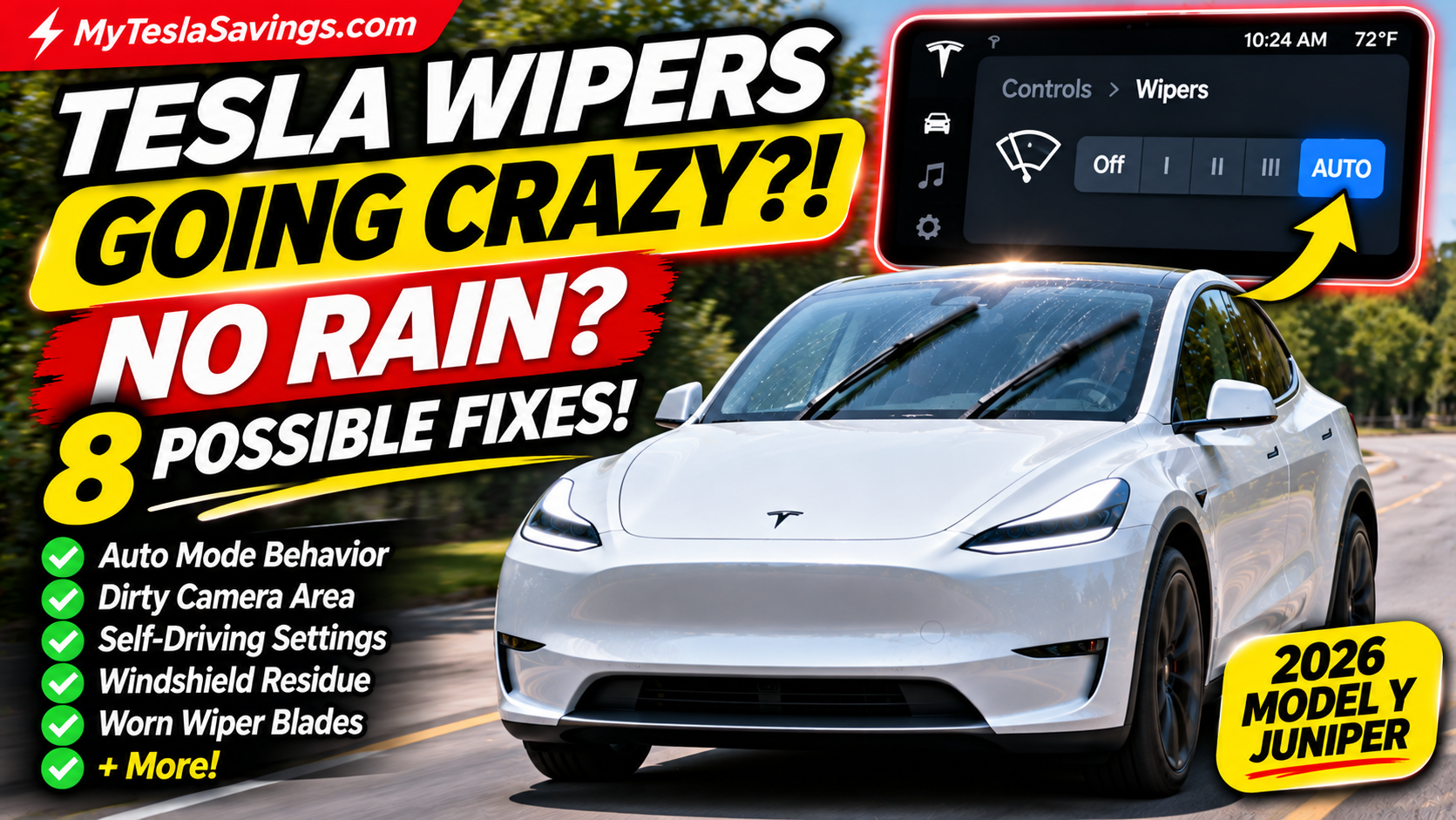
Are your Tesla windshield wipers turning on when it’s not even raining?
You’re driving down the highway on a perfectly sunny day when suddenly…
SWISH! SWISH! SWISH!
Your Tesla windshield wipers start moving across a completely dry windshield.
You check the weather. No rain.
You look at the glass. Nothing there.
So why does your Tesla think it needs to clean the windshield?
If you own a Tesla Model 3 or Model Y, this is a frustrating situation you might encounter.
The good news is that unexpected windshield wiper activation doesn’t automatically mean something is mechanically wrong with your Tesla.
In many cases, the issue involves automatic wiper behavior, camera visibility, windshield contamination, or the vehicle’s driving-assistance settings.
Let’s explore eight possible causes and what you can do about them.
Quick Answer: Why Do Tesla Windshield Wipers Turn On Without Rain?
Tesla’s automatic windshield wiper system uses camera-based detection to help determine when precipitation is present.
Unlike vehicles that rely on a conventional dedicated rain sensor, Tesla’s camera-based approach can sometimes interpret visual conditions incorrectly.
Potential triggers include:
- Dirt or residue on the windshield
- Insects or road debris
- Water droplets near the forward-facing camera
- Automatic wiper sensitivity
- Changes in lighting or glare
- Self-Driving activating Auto wipers
- Windshield treatments or worn wiper blades
- Software or camera-related problems
Tesla’s Owner’s Manual describes Auto wipers as a beta feature and recommends using manual settings when automatic operation is unsuitable.
1. Your Tesla’s Automatic Wipers Are Too Sensitive
The most straightforward explanation is that the vehicle is operating in Auto mode.
When Auto is enabled, your Tesla attempts to detect precipitation and adjust the wiping frequency.
But automatic detection isn’t perfect.
Occasionally, the system may initiate a wipe even when there isn’t enough moisture to justify it.
How to Fix It
If the windshield is clear and conditions are safe:
- Open Controls → Wipers.
- Locate the current wiper setting.
- Select Off if wiping isn’t needed.
- Choose a manual wiping speed when rain or other conditions require it.
Depending on your vehicle, you can also use the steering-wheel wiper control or voice commands.
Important: Never turn off wipers when you need them to maintain clear visibility.
Tesla Wipers Streaking? Upgrade to BOSCH AeroTwin!
Are your Tesla windshield wipers leaving streaks, squeaking, or struggling to clear your windshield? Worn blades can make an already frustrating automatic wiper experience even worse. Consider replacing them with the BOSCH AeroTwin 3397014621 front windshield wiper blade set, listed for compatible 2020–2024 Tesla Model Y vehicles.
BOSCH 3397014621 AeroTwin Wiper Blades
- Complete front wiper replacement set with two blades
- Bracketless beam design for consistent windshield contact
- Graphite-coated rubber compound designed for smooth wiping
- Asymmetrical wind spoiler helps maintain contact at higher speeds
- OE-style Top Lock 16mm connection for compatible vehicles
- A practical replacement option when existing blades are worn or streaking
As an Amazon Associate, MyTeslaSavings.com earns from qualifying purchases. Product prices and availability are subject to change.
2. Dirt or Bugs Are Covering the Windshield Camera Area
Your Tesla relies on cameras for several important functions.
The forward-facing cameras look through a section of the windshield near the rearview mirror.
If that area becomes dirty, visibility can be affected.
Common contaminants include:
- Dead insects
- Road grime
- Dust
- Salt residue
- Tree sap
- Bird droppings
- Dried water spots
These contaminants can interfere with the camera’s view and may contribute to unreliable automatic wiper behavior.
How to Fix It
Park safely and inspect the windshield.
Pay particular attention to the area in front of the camera enclosure.
Use a clean microfiber towel and an automotive glass cleaner suitable for your Tesla.
If the inside of the windshield near the camera enclosure is contaminated, Tesla recommends professional service when necessary.
Do not attempt to disassemble the camera enclosure yourself.
3. Self-Driving Keeps Turning Automatic Wipers Back On
This is an important Tesla behavior that can confuse owners.
You might manually turn your wipers off, only to notice that Auto becomes selected again later.
Why?
Tesla’s documentation states that engaging Self-Driving sets the windshield wipers to Auto.
You may be able to change the setting while using the feature, but the next time you engage Self-Driving, the system can default back to Auto.
What You Can Do
If your wipers activate unexpectedly while using a driving-assistance feature:
- Maintain full attention on the road.
- Check the current wiper setting when safe.
- Adjust the wipers if your vehicle allows it.
- Be aware that Auto may return the next time you engage Self-Driving.
This behavior doesn’t necessarily indicate a malfunction.
It’s part of the documented interaction between automatic wipers and Tesla’s driving-assistance features.
4. Sunlight, Glare, or Changing Lighting Conditions
Have you noticed your wipers activate when driving toward the sun?
Some owners suspect that bright sunlight, shadows, or sudden changes in lighting contribute to unexpected wiping.
Camera-based systems must interpret changing visual conditions.
Strong glare or unusual lighting may complicate that process.
However, Tesla does not identify sunlight as a definitive cause of false wiper activation in its Owner’s Manual.
Treat this as a possible contributing factor rather than a confirmed diagnosis.
How to Troubleshoot
Pay attention to when the issue occurs.
Does it happen:
- When driving toward the sun?
- When entering or exiting a tunnel?
- During sunrise or sunset?
- When passing through alternating shade and sunlight?
If the issue is repeatable, record the circumstances and software version for a potential service appointment.
5. Your Windshield Has Residue From Cleaning Products
A windshield can appear clean while still having an invisible film.
Certain cleaning products and car wash chemicals may leave behind residue.
Examples include:
- Wax-based car wash sprays
- Water-repellent windshield treatments
- Improperly rinsed cleaning products
- Road film
- Residue from washer fluid
Tesla specifically warns that windshield treatments can interfere with wiper performance.
How to Fix It
Clean the windshield using a suitable automotive glass cleaner.
Use a clean microfiber towel and avoid abrasive products.
Don’t apply a hydrophobic coating to the front windshield unless Tesla’s instructions for your particular vehicle permit it.
Tesla’s current Model Y cleaning guidance advises applying such coatings only to the side and rear windows, not the front windshield.
6. Your Wiper Blades Are Dirty or Worn Out
Sometimes the issue isn’t that the wipers activate unexpectedly.
It’s that they continue making the situation worse.
Old or contaminated blades can create streaks, smears, and noise.
These conditions may reduce visibility through the windshield, including the area used by the forward-facing cameras.
Signs Your Wipers Need Attention
Look for:
- Streaks after wiping
- Chattering or skipping
- Squeaking sounds
- Cracked rubber
- Rough or damaged blade edges
- Areas of the windshield that aren’t being cleared properly
How to Fix It
Tesla recommends periodically inspecting and cleaning the edges of the wiper blades.
If the blades are damaged or remain ineffective after cleaning, replace them.
Make sure replacement blades are compatible with your exact Tesla model and model year.
Tesla Wipers Streaking? Upgrade to BOSCH AeroTwin!
Are your Tesla windshield wipers leaving streaks, squeaking, or struggling to clear your windshield? Worn blades can make an already frustrating automatic wiper experience even worse. Consider replacing them with the BOSCH AeroTwin 3397014621 front windshield wiper blade set, listed for compatible 2020–2024 Tesla Model Y vehicles.
BOSCH 3397014621 AeroTwin Wiper Blades
- Complete front wiper replacement set with two blades
- Bracketless beam design for consistent windshield contact
- Graphite-coated rubber compound designed for smooth wiping
- Asymmetrical wind spoiler helps maintain contact at higher speeds
- OE-style Top Lock 16mm connection for compatible vehicles
- A practical replacement option when existing blades are worn or streaking
As an Amazon Associate, MyTeslaSavings.com earns from qualifying purchases. Product prices and availability are subject to change.
7. Ice, Snow, or Condensation Is Affecting Visibility
Cold weather can create additional windshield problems.
Snow, ice, frost, or moisture near the camera viewing area may interfere with visibility.
This is especially relevant for Tesla owners in colder climates.
What to Do
Before driving:
- Clear snow and ice from the windshield.
- Make sure the camera viewing area is unobstructed.
- Use defrost as needed.
- Check that the wiper blades aren’t frozen to the glass.
- Inspect the windshield before activating the wipers.
Never operate windshield wipers that are frozen to the windshield.
Doing so can damage the blades or other components.
8. A Software or Camera-Related Problem
Tesla regularly updates its vehicle software.
Occasionally, unusual behavior may occur after a software change, or an existing issue may become more noticeable.
However, not every unexpected wipe is caused by a software bug.
If the wipers continue activating unnecessarily despite a clean windshield and appropriate settings, further investigation may be necessary.
Troubleshooting Steps
- Check your current software version.
- Note when the behavior occurs.
- Verify whether Auto is enabled.
- Inspect the windshield camera viewing area.
- Check for camera-related warnings.
- Review any available software updates.
- Contact Tesla Service if the behavior persists.
If you have a service appointment, providing specific examples can help technicians understand the problem.
How to Turn Off Tesla Automatic Windshield Wipers
For many current Model 3 and Model Y configurations:
Step 1: Open Controls on the touchscreen.
Step 2: Select Wipers.
Step 3: Choose Off or a manual speed.
Step 4: Confirm the selected setting.
On some vehicles, pressing the wiper button opens the wiper menu, and the left steering-wheel scroll control can be used to select a setting.
The exact physical control depends on your Tesla’s model year and steering-wheel configuration.
Can You Permanently Disable Auto Wipers?
Not necessarily.
If you use Self-Driving, Tesla documents that Auto wipers may be selected again whenever the feature is engaged.
This means changing the setting once doesn’t guarantee that it will remain disabled in every driving mode.
Tesla Windshield Wipers: Auto vs. Manual Settings
| Setting | What It Does |
|---|---|
| Off | Turns off normal wiping |
| Auto | Automatically adjusts wiping based on detected precipitation |
| I | Slow intermittent wiping |
| II | Faster intermittent wiping |
| III | Slow continuous wiping |
| IIII | Fast continuous wiping |
Exact controls and available behavior may vary by model and software version.
For unpredictable weather, manual operation can provide more direct control.
What If Your Tesla Wipers Keep Turning On While Parked?
If your wipers activate unexpectedly while the vehicle is stationary, first determine whether someone has triggered a washer or wiper command.
Also check whether the vehicle is undergoing a cleaning or service procedure.
If the behavior repeats without an obvious cause, document it and contact Tesla Service.
Do not attempt to repair the wiper motor or related electrical components without appropriate knowledge and service instructions.
Can Unexpected Wiper Activation Damage Your Windshield?
Repeated wiping across a dry, dirty windshield can contribute to unnecessary blade wear.
If abrasive particles are trapped between the rubber and glass, scratches may also occur.
That is why keeping the windshield and blades clean is important.
Avoid using damaged wiper blades, and address persistent abnormal behavior rather than simply ignoring it.
Tesla Windshield Cleaning Essentials Worth Having
Keeping your windshield clean is one of the simplest ways to support visibility and proper wiper operation.
Here are a few accessories worth considering.
1. Automotive Glass Cleaner
Choose a glass cleaner suitable for automotive windshields and compatible with Tesla’s cleaning recommendations.
Avoid products that leave water-repellent coatings or other residue on the front windshield.
2. Microfiber Glass Cleaning Towels
High-quality microfiber towels can help remove dirt, fingerprints, and road film without abrasive scrubbing.
Use separate towels for cleaning and drying.
3. Replacement Tesla Wiper Blades
If your wipers streak, chatter, or fail to clear water effectively, compatible replacement blades may help.
Always verify fit for your model year.
4. Winter Windshield Accessories
A suitable windshield snow cover or ice-removal tool can make winter preparation easier.
Never scrape camera lenses or use abrasive tools on sensitive surfaces.
5. Windshield Washer Fluid
Check the washer fluid level regularly.
Use a washer fluid suitable for the season and consistent with Tesla’s recommendations.
Avoid incompatible additives or water-repellent treatments.
Frequently Asked Questions
Why do my Tesla windshield wipers turn on when it’s sunny?
Possible explanations include automatic detection errors, windshield contamination, or Auto mode being selected during Self-Driving. Lighting conditions may contribute, but they aren’t a confirmed cause in every case.
Does Tesla use a rain sensor?
Tesla’s automatic wiping system relies on camera-based precipitation detection rather than a conventional dedicated rain sensor on applicable models.
How do I stop my Tesla wipers from turning on automatically?
Open Controls → Wipers and select Off or a manual speed when conditions allow. Self-Driving may restore Auto later.
Why do my Tesla wipers turn on when I activate Autopilot or FSD?
Tesla documents that engaging Self-Driving sets wipers to Auto on applicable vehicles.
Can dirty cameras cause automatic wiper problems?
Obstructions and contamination can affect camera visibility. Keeping the windshield camera area clean is a sensible troubleshooting step, although it won’t solve every automatic wiper issue.
Will replacing the wiper blades fix unexpected activation?
Not necessarily. New blades can improve wiping quality, but they don’t directly fix every problem involving automatic activation.
Should I reboot my Tesla to fix the wipers?
A touchscreen restart is not a guaranteed repair for unexpected wiper activation. Start with settings, windshield cleaning, and camera warnings. If the issue persists, consult Tesla Service.
Is this a problem on the Tesla Model Y Juniper?
Current Model Y vehicles also have automatic wiper functionality. The precise controls and behavior depend on the vehicle configuration and software.
Final Verdict: Why Your Tesla Wipers May Have a Mind of Their Own
Tesla’s automatic windshield wipers are convenient when they work as expected.
But unexpected activation on a dry windshield can be distracting and frustrating.
Fortunately, there are several practical things you can check before scheduling service.
Start with the simplest solutions:
- Check whether your wipers are in Auto mode.
- Clean the windshield, especially near the forward-facing cameras.
- Inspect the wiper blades.
- Check whether Self-Driving is restoring Auto.
- Document persistent problems and contact Tesla Service when needed.
And remember: clear visibility should always take priority over convenience.
If automatic wiping isn’t providing adequate visibility, use the appropriate manual setting and follow Tesla’s safety instructions.
Related Tesla Owner Guides
- Tesla Tire Pressure Warning Won’t Go Away?
- Tesla Screen Went Black While Driving?
- Tesla Making Noises While Parked?
- Tesla Model Y Juniper Winter Accessories
MyTeslaSavings.com publishes independent Tesla ownership guides. Refer to the Owner’s Manual for your exact vehicle and software version.
Tesla Wipers Streaking? Upgrade to BOSCH AeroTwin!
Are your Tesla windshield wipers leaving streaks, squeaking, or struggling to clear your windshield? Worn blades can make an already frustrating automatic wiper experience even worse. Consider replacing them with the BOSCH AeroTwin 3397014621 front windshield wiper blade set, listed for compatible 2020–2024 Tesla Model Y vehicles.
BOSCH 3397014621 AeroTwin Wiper Blades
- Complete front wiper replacement set with two blades
- Bracketless beam design for consistent windshield contact
- Graphite-coated rubber compound designed for smooth wiping
- Asymmetrical wind spoiler helps maintain contact at higher speeds
- OE-style Top Lock 16mm connection for compatible vehicles
- A practical replacement option when existing blades are worn or streaking
As an Amazon Associate, MyTeslaSavings.com earns from qualifying purchases. Product prices and availability are subject to change.