Updated October 26, 2026
Tesla has started rolling out another Full Self-Driving update, and owners are already asking the same question:
“Why hasn’t my Tesla received FSD 14.3.13 yet?”
If you’ve been checking your Tesla app or refreshing your software update screen, you’re not alone.
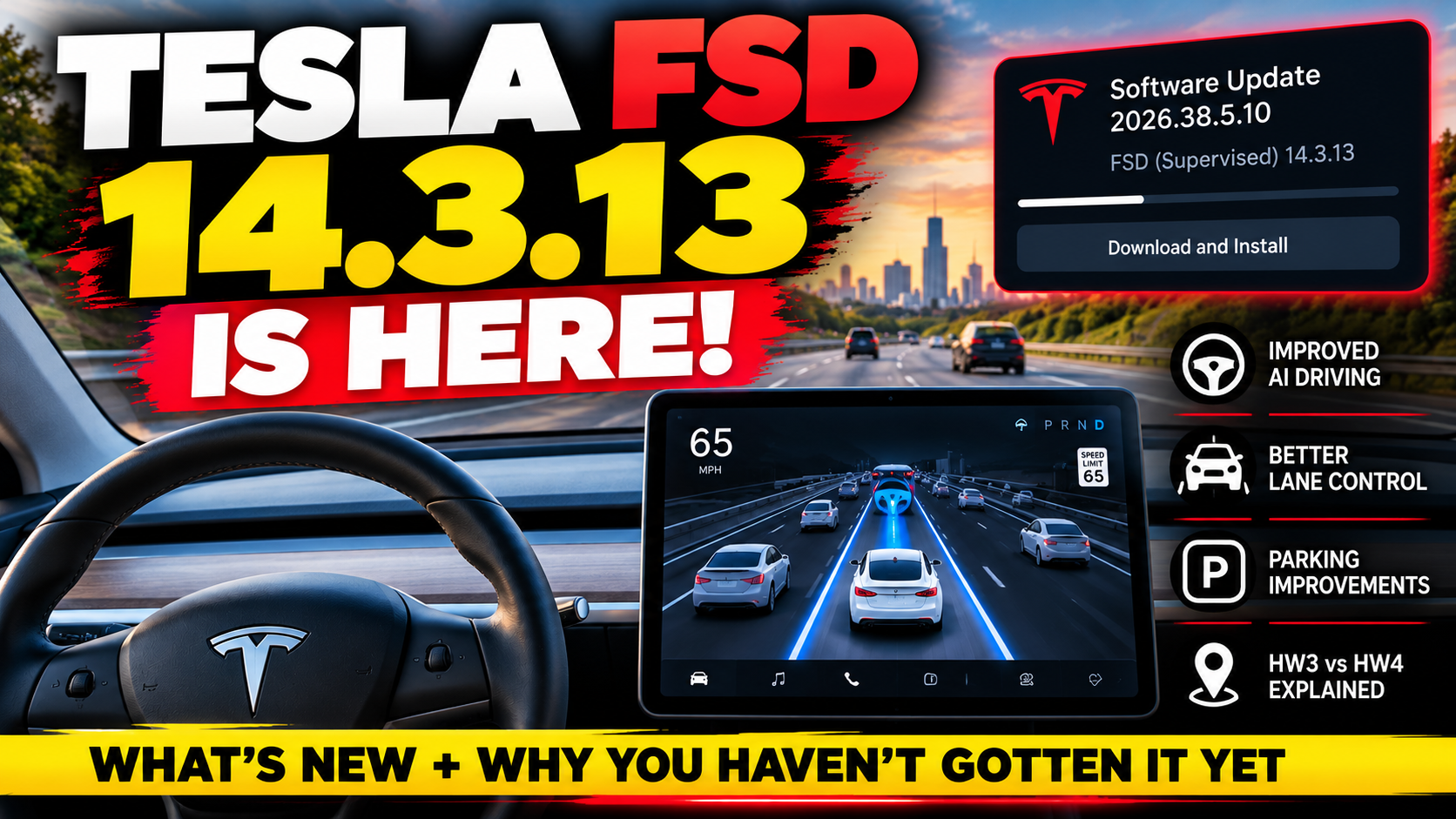
Tesla’s latest Full Self-Driving (Supervised) release, FSD v14.3.13, began arriving on eligible vehicles on October 20, 2026, as part of software update 2026.38.5.10.
A newer software package, 2026.38.5.11, has also appeared in rollout tracking.
But there’s something important to understand before you start troubleshooting.
Not every Tesla receives software updates at the same time, and not every Tesla receives the same version of Full Self-Driving.
Your vehicle’s hardware, current software, location, and eligibility can all influence when an update becomes available.
Here’s everything Tesla owners should know about FSD 14.3.13, including the improvements, hardware differences, rollout status, and what to do if your update hasn’t arrived.
What Is Tesla FSD 14.3.13?
Tesla FSD 14.3.13 is a newer release of Tesla’s Full Self-Driving (Supervised) driver-assistance software.
It follows FSD 14.3.12 and is being distributed through Tesla’s regular over-the-air software update system.
The update is associated with the following software versions:
| Software Version | FSD Version | Initial Release |
|---|---|---|
| 2026.38.5 | FSD 14.3.12 / 14.3 Lite | October 10, 2026 |
| 2026.38.5.1 | FSD 14.3.12 / 14.3 Lite | October 13, 2026 |
| 2026.38.5.10 | FSD 14.3.13 / 14.3 Lite | October 20, 2026 |
| 2026.38.5.11 | FSD 14.3.13 | October 24, 2026 |
These packages can contain different FSD variants depending on vehicle hardware.
One particularly important distinction is that Hardware 4 (AI4) vehicles receive the full FSD 14.3.13 release, while eligible Hardware 3 vehicles receive FSD 14.3 Lite.
That means two Tesla owners can install the same software package but see different Full Self-Driving versions.
What’s New in Tesla FSD 14.3.13?
If you’re expecting a completely redesigned Full Self-Driving experience, you might be surprised.
Tesla’s published release notes for FSD 14.3.13 are essentially unchanged from those for FSD 14.3.12.
That doesn’t necessarily mean nothing changed internally.
It means Tesla hasn’t publicly identified a separate list of improvements exclusive to the 14.3.13 point release.
However, the broader FSD 14.3 release notes describe several significant improvements.
1. Improved AI Decision-Making
Tesla says it upgraded the reinforcement learning stage used to train its Full Self-Driving neural network.
Reinforcement learning helps train AI systems to make better decisions across different situations.
For drivers, the intended improvements include more consistent behavior when navigating challenging road conditions.
Examples include complicated intersections, merging traffic, and situations involving other vehicles behaving unexpectedly.
Check out our article on – Can Tesla Full Self-Driving Really Save You Money on Car Insurance?
2. Better Understanding of Roads and Objects
Tesla also describes improvements to its neural network vision encoder.
The goal is better interpretation of the surrounding environment, including:
- Road geometry
- Traffic signs
- Unusual objects
- Low-visibility situations
- Complex driving environments
These changes are intended to help FSD better understand what its cameras detect.
However, they do not eliminate the possibility of mistakes or the need for driver supervision.
3. Faster System Response
One of the more interesting claims in the FSD 14.3 release notes concerns Tesla’s AI processing system.
Tesla says it rebuilt its AI compiler and runtime using MLIR technology, producing a 20% improvement in reaction time.
That is Tesla’s reported technical improvement—not a guarantee that the vehicle will react 20% faster in every real-world driving situation.
Still, faster processing could be valuable when the system needs to respond to changing traffic conditions.
4. Smoother Lane Positioning
Tesla’s notes describe efforts to reduce unnecessary lane biasing and minor tailgating behavior.
Some drivers have previously complained about FSD positioning their vehicles too close to one side of a lane or following other vehicles in ways that feel uncomfortable.
The latest FSD 14.3 software is intended to improve these behaviors.
Whether you notice a difference will depend on your vehicle, driving environment, and previous software version.
5. Better Parking Decisions
Tesla has also been refining how FSD chooses parking spaces and completes parking maneuvers.
The release notes describe improvements to parking spot selection and maneuvering.
Drivers may also see parking location predictions displayed on the map.
For Tesla owners who regularly use FSD for destination navigation, these improvements could make the end of a trip more convenient.
6. Improved Responses to Unusual Situations
Tesla describes additional training for situations involving:
- Emergency vehicles
- School buses
- Drivers violating the right of way
- Small animals
- Unusual objects in the roadway
- Complicated traffic signals
These are situations where driver attention remains especially important.
Even with improved AI training, Full Self-Driving can make mistakes.
7. Better Driver Monitoring
Tesla’s FSD 14.3 release notes also describe improved driver-monitoring sensitivity.
The system is intended to better interpret eye gaze, eyewear, and changing lighting conditions.
This matters because Full Self-Driving remains a supervised system.
Drivers must stay attentive and be ready to intervene.
Is FSD 14.3.13 Better Than 14.3.12?
This is probably the biggest question owners have right now.
Tesla has not published a distinct list of changes between FSD 14.3.12 and 14.3.13.
The two releases share the same main release notes.
That suggests 14.3.13 is a smaller point release rather than a major feature update, but Tesla has not publicly detailed the exact internal differences.
If your Tesla already has FSD 14.3.12 and is operating normally, there is no reason to assume you’re missing a major new feature.
The biggest improvements listed in the release notes belong to the broader FSD 14.3 generation.
Why Haven’t You Received Tesla FSD 14.3.13 Yet?
If your Tesla still shows an older version, don’t assume something is wrong.
Tesla distributes software updates in stages rather than sending every update to every eligible vehicle simultaneously.
Here are the most common explanations.
Reason 1: Tesla Is Rolling Out the Update in Waves
Tesla frequently releases updates to smaller groups of vehicles before expanding distribution.
This allows the company to monitor performance and identify potential problems.
Your neighbor might receive an update several days before you, even if you both own the same Tesla model.
That doesn’t necessarily indicate a problem with your vehicle.
Reason 2: Your Tesla Has Hardware 3 Instead of Hardware 4
This is especially important for FSD 14.3.13.
Eligible Hardware 4 vehicles are receiving the full FSD 14.3.13 release.
Hardware 3 vehicles are receiving a different version called FSD 14.3 Lite.
If your Tesla has HW3, waiting for the full 14.3.13 version may not make sense because Tesla is distributing a hardware-specific alternative.
We’ll explain the differences below.
Reason 3: Your Current Software Branch Is Different
Tesla vehicles don’t always follow identical software update paths.
Some vehicles receive different builds based on hardware, region, features, and current software.
As a result, your Tesla might receive a later software package instead of every intermediate release.
For example, a vehicle could receive 2026.38.5.11 without first installing 2026.38.5.10.
Reason 4: Your Vehicle Isn’t Currently Eligible
Receiving a software package does not automatically mean every feature included in its release notes will be available.
FSD availability depends on factors such as:
- Vehicle hardware
- FSD purchase or subscription status
- Geographic availability
- Software eligibility
- Other vehicle-specific requirements
Reason 5: Your Tesla Hasn’t Been Selected for the Update Yet
Sometimes the simplest explanation is the correct one.
Your Tesla may be functioning normally and simply hasn’t been included in the current rollout wave.
There is no guaranteed method for forcing Tesla to deliver an update before your vehicle becomes eligible.
Tesla Hardware 3 vs. Hardware 4: What’s the Difference?
One of the biggest developments in Tesla’s recent software releases is the introduction of FSD 14.3 Lite for Hardware 3 vehicles.
For owners of older Model 3 and Model Y vehicles, this is particularly interesting.
Tesla says FSD 14.3 Lite uses knowledge distilled from its newer Hardware 4 FSD technology.
In simpler terms, Tesla is using improvements developed for newer hardware to help train a version that can operate on older hardware.
FSD 14.3.13 vs. FSD 14.3 Lite
| Feature | Hardware 4 | Hardware 3 |
|---|---|---|
| FSD version | 14.3.13 | 14.3 Lite |
| AI training improvements | Yes | Adapted from HW4 |
| Improved navigation behavior | Yes | Yes |
| Parking improvements | Yes | Yes |
| Arrival Options | Available | Available |
| Speed Profiles | Available | Available |
| Identical underlying software | No | No |
The key point is that FSD 14.3 Lite is not identical to the full Hardware 4 version.
Tesla has described improvements for both, but owners should not assume every feature or behavior is the same.
What Does FSD 14.3 Lite Improve?
Tesla’s release notes describe several improvements for eligible HW3 vehicles.
These include:
Smoother driving: Reduced unnecessary slowdowns, more consistent lane centering, and smoother steering.
Improved navigation: Better handling of merges, forks, and certain navigation decisions.
Pedestrian awareness: Improvements to how the system responds to pedestrian interactions.
Parking capabilities: Parking, unparking, and reversing functionality.
Arrival Options: More control over where FSD attempts to stop or park at a destination.
Speed Profiles: Additional customization of driving behavior.
For HW3 owners, these changes may be more noticeable than the smaller update from FSD 14.3.12 to 14.3.13 on HW4.
How to Check Your Tesla’s Current Software Version
Not sure which version your Tesla is running?
Here’s how to check.
Step 1: Open Controls
On your Tesla’s touchscreen, tap Controls.
Step 2: Select Software
Navigate to the Software section.
Step 3: Check Your Current Version
Look for the installed vehicle software version.
You may see something similar to:
2026.38.5.10
Step 4: Check Your FSD Version
If your vehicle has access to Full Self-Driving, review the FSD version shown in your vehicle’s software information or release notes.
Remember that the vehicle software number and FSD version number are different.
Step 5: Check for Available Updates
While in the Software section, your Tesla may check for available updates.
If an update has been assigned to your vehicle, you can follow the instructions to download and install it.
You can also check for update notifications in the Tesla mobile app.
How to Get Tesla FSD 14.3.13 Faster
There is no guaranteed trick to receive Tesla updates immediately.
However, you can make sure your vehicle is ready.
1. Connect Your Tesla to Wi-Fi
Tesla recommends connecting to Wi-Fi for software downloads.
If possible, connect your vehicle to a reliable home Wi-Fi network.
A stable connection can help once an update becomes available.
2. Check Your Software Update Preference
On your touchscreen, navigate to:
Controls → Software → Software Update Preference
If your vehicle offers the option, select Advanced.
This tells Tesla you’re interested in receiving available updates promptly.
However, Advanced does not guarantee immediate access or priority for every release.
3. Keep Your Tesla App Updated
Make sure you’re using a recent version of the Tesla mobile app.
This helps ensure you can receive notifications and access supported vehicle functions.
4. Allow Time for the Rollout
If your vehicle is eligible but hasn’t received the update, waiting is often the best option.
Repeatedly checking for updates does not guarantee that Tesla will assign the software sooner.
5. Avoid Unofficial Update Methods
Be cautious of websites, downloads, or services claiming they can manually install unreleased Tesla software.
Tesla updates should be installed through the vehicle’s supported update system.
Tesla Update Not Showing? Try These Troubleshooting Steps
If you’ve been waiting for an update, use this checklist.
Check your Wi-Fi connection. Confirm your Tesla is connected to a reliable network.
Check the installed version. You may already have a newer software package than the one you’re looking for.
Verify your hardware. HW3 and HW4 vehicles may receive different FSD variants.
Review your FSD eligibility. Having the vehicle software doesn’t necessarily mean you have access to FSD.
Check for update notifications. Look in the vehicle’s Software menu and Tesla app.
Give the rollout time. Updates can arrive in waves over several days or longer.
Contact Tesla Support if necessary. If your vehicle repeatedly fails to download or install an assigned update, Tesla Support may be able to help.
Avoid unnecessary vehicle resets or service appointments simply because another owner received an update before you.
Other Features Included in Tesla Software Update 2026.38.5.10
The software package associated with FSD 14.3.13 includes more than Full Self-Driving improvements.
Depending on your Tesla’s model, hardware, and region, the release notes also list several additional features.
Halloween Mode
Tesla’s seasonal Halloween features return with vehicle visualizations, themed sounds, and other effects on supported vehicles.
If you enjoy Tesla’s holiday features, this is worth checking out.
Supercharger Site Maps
Select Supercharger locations can display more detailed site information.
This can help drivers understand charger layouts and available stalls at supported locations.
Set Arrival Energy
Tesla has introduced the ability to set a desired arrival energy level for a trip through the mobile app.
This can be useful when planning a drive where you want to arrive with more battery remaining.
Visual Improvements
Some Model 3 and Model Y vehicles receive updated vehicle graphics and parking visualizations.
Automatic Collision Evasion
The release notes also describe Automatic Collision Evasion for supported Hardware 4 vehicles.
This feature is intended to help respond to certain imminent collision scenarios.
It does not replace attentive driving, and its capabilities are subject to system limitations.
Emergency Drive Away
Tesla has introduced an emergency function that allows certain vehicles to shift into Drive while a Supercharger cable remains connected.
This is strictly an emergency feature. Driving away with a charging cable attached can damage the vehicle and charging equipment.
Do not test or use it during normal charging.
Should You Install FSD 14.3.13 Immediately?
For most eligible Tesla owners, installing official software updates is generally worthwhile.
Updates can include security fixes, bug fixes, and improvements to existing features.
However, consider the following before installing:
- Read the release notes.
- Make sure your vehicle has sufficient battery charge.
- Park somewhere safe.
- Allow enough time for installation.
- Remember that the vehicle cannot be driven while the update is installing.
If you rely heavily on your Tesla for commuting or travel, avoid starting an update immediately before you need the vehicle.
Does FSD 14.3.13 Make Tesla Fully Autonomous?
No.
Despite the name, Full Self-Driving (Supervised) does not make a Tesla a fully autonomous vehicle.
Drivers must continue to pay attention, monitor the vehicle, and remain prepared to take control.
Even with improved AI processing and better handling of complex situations, FSD can make mistakes.
You remain responsible for safely operating your vehicle.
Frequently Asked Questions
Is Tesla FSD 14.3.13 available now?
Yes. The rollout began October 20, 2026, with additional software packages appearing afterward. Availability depends on the vehicle and rollout status.
Why does my Tesla still have FSD 14.3.12?
Tesla distributes updates in stages. Your vehicle may not have been selected for the latest wave, or it may receive a newer package later.
Is FSD 14.3.13 a major update?
It appears to be a smaller point release. Tesla’s published notes do not identify new features exclusive to 14.3.13 compared with 14.3.12.
Will Hardware 3 Teslas get FSD 14.3.13?
Eligible HW3 vehicles are receiving FSD 14.3 Lite rather than the full HW4 version.
What is FSD 14.3 Lite?
FSD 14.3 Lite is a version adapted for Hardware 3 vehicles using improvements developed for newer FSD systems.
Does selecting Advanced get Tesla updates faster?
It indicates your preference for earlier updates, but it doesn’t guarantee immediate delivery.
Can I manually download Tesla FSD 14.3.13?
Tesla does not provide a normal public download that owners can install independently. Updates are assigned and delivered through Tesla’s supported software update system.
Will I get FSD 14.3.13 if I don’t subscribe to FSD?
Your Tesla may receive a vehicle software package associated with FSD 14.3.13, but that does not automatically unlock Full Self-Driving.
Final Thoughts: Is Tesla FSD 14.3.13 Worth the Wait?
Tesla FSD 14.3.13 continues the company’s ongoing work to improve its supervised driving technology.
Although this particular release doesn’t introduce a separate list of major new features, the broader FSD 14.3 generation includes improvements to AI processing, lane positioning, navigation, parking, and handling unusual driving situations.
For Hardware 3 owners, FSD 14.3 Lite is also an important development, bringing adapted improvements to older vehicles.
If your Tesla hasn’t received the update yet, don’t worry.
Your vehicle isn’t necessarily behind or experiencing a problem. Tesla software updates arrive in waves, and hardware differences matter.
Keep your Tesla connected to Wi-Fi, review your software settings, and watch for an update notification.
And remember: even with the latest FSD software, safe driving always comes first.
Have you received FSD 14.3.13 or FSD 14.3 Lite yet? Let us know your Tesla model, year, and software version in the comments!
Disclaimer: Software availability and features vary by vehicle, hardware, region, and eligibility. Tesla Full Self-Driving (Supervised) requires active driver supervision. This article reflects publicly available release information as of October 26, 2026.