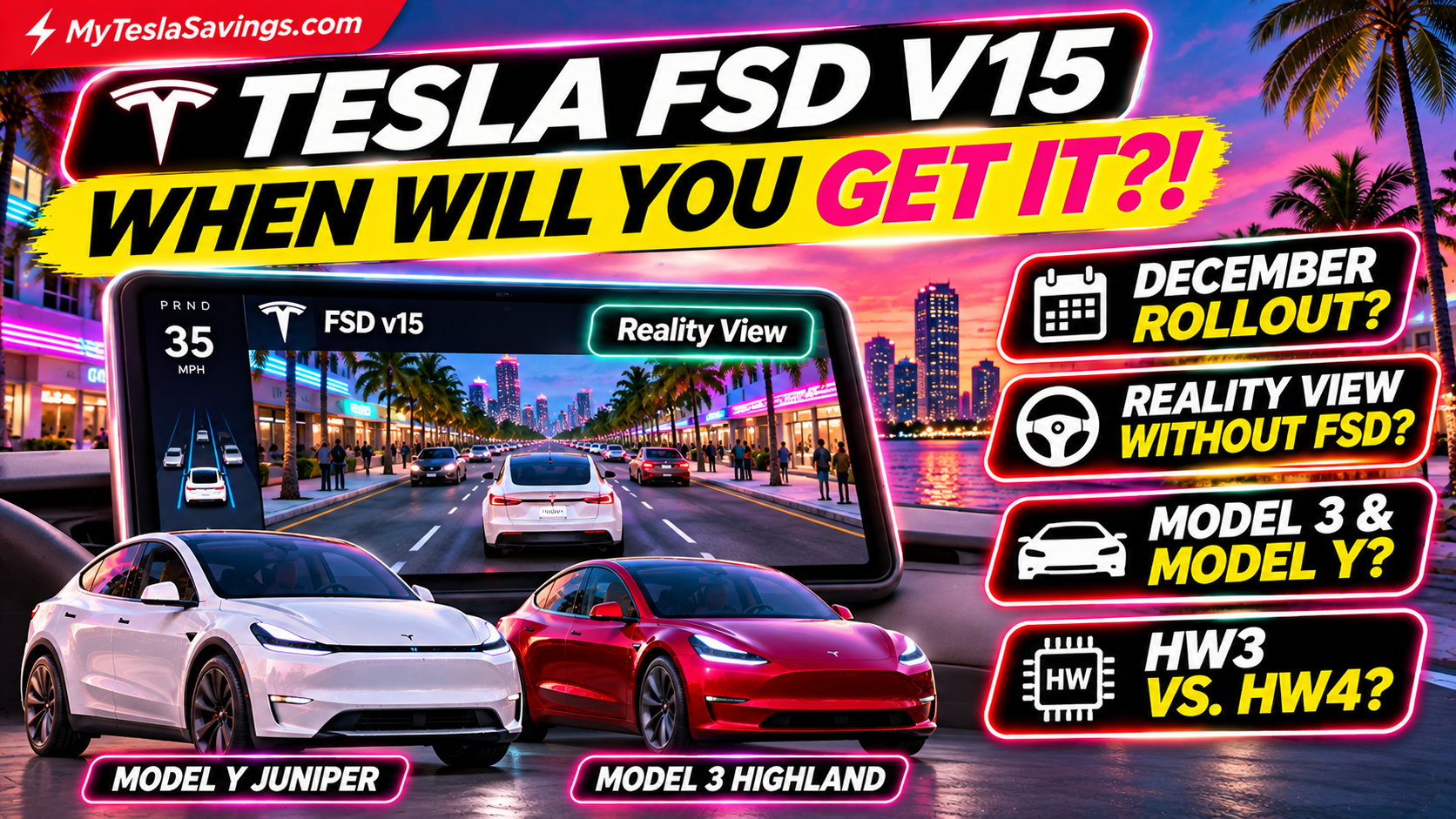
Tesla’s biggest Full Self-Driving update in recent memory has officially started rolling out, and owners are already asking one important question: WHEN AM I GETTING IT?!
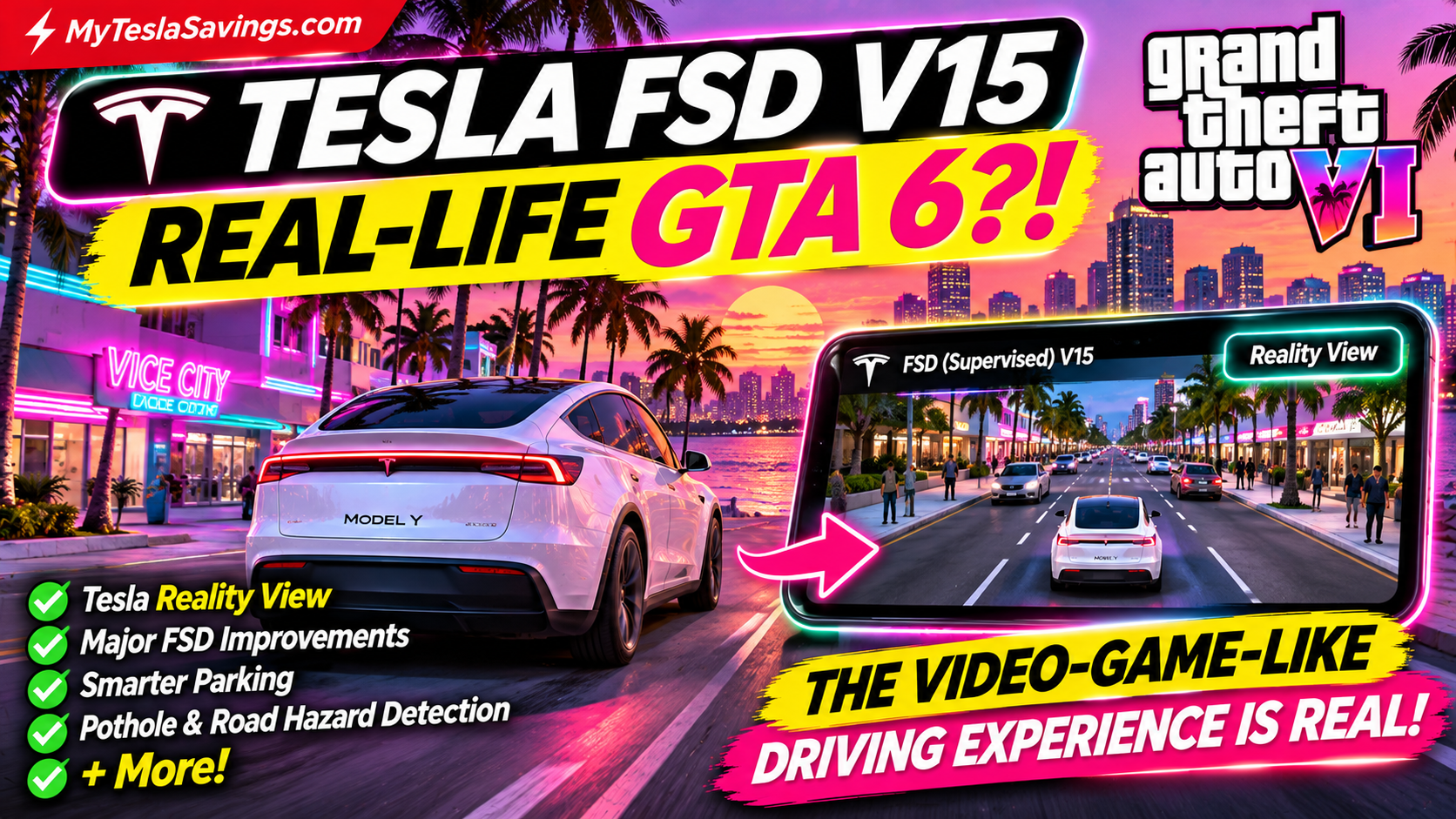
After watching videos of Tesla’s incredible new Reality View visualization, which looks like something straight out of Grand Theft Auto 6, it’s easy to understand the excitement.
Instead of basic computer-generated vehicles, lane markings, and pedestrians, Tesla is introducing an AI-generated representation of the world surrounding your vehicle.
Buildings, trees, parking lots, traffic, road surfaces, and even Christmas decorations can appear within the new visualization.
But not every Tesla owner has received the update.
And there are still several important questions:
- When will Tesla FSD V15 be released to everyone?
- Will the new 3D driving visualization work when driving manually?
- Will owners without an FSD subscription receive Reality View?
- Is the update exclusive to the Model Y Juniper?
- Will Model 3, Model S, Model X, and Cybertruck owners receive it?
- What about older Hardware 3 vehicles?
Here’s everything we know as of November 25, 2026.
Tesla FSD V15 Release Date: When Will I Get the Update?
Tesla officially began its initial rollout of Full Self-Driving V15 on November 21, 2026.
The first version released to selected Early Access Program members is:
- FSD Version: 15.0.1
- Tesla Software Version: 2026.38.6.11
- Initial Release Date: November 21, 2026
- Hardware Requirement: AI4 / Hardware 4
- Expected Wider Release: December 2026
Elon Musk has indicated that FSD V15 is scheduled for a broader release in December, potentially alongside Tesla’s highly anticipated 2026 Holiday Update.
If you own an eligible Tesla, there’s a good chance you’ll be watching your Tesla app closely throughout December.
However, Tesla has not announced a guaranteed installation date for every eligible vehicle.
Why Haven’t I Received Tesla FSD V15 Yet?
Seeing other Tesla owners receive exciting new software before you can be frustrating.
You open the Tesla app.
Nothing.
You walk out to your vehicle and check the Software menu.
Nothing.
Meanwhile, social media is filled with videos of Tesla Reality View.
Unfortunately, this is normal for Tesla software releases.
Tesla typically distributes major updates in phases.
Phase 1: Internal Testing
Tesla employees and internal testing vehicles evaluate new software before broader customer distribution.
Phase 2: Early Access Program
Selected Tesla owners receive early versions of the software.
These users provide valuable real-world feedback across different driving environments.
This is the stage where FSD V15 began its customer rollout.
Phase 3: Expanded Customer Rollout
Tesla may begin releasing the software to additional groups of eligible vehicles as bugs are addressed and performance is evaluated.
Phase 4: Wide Release
Once Tesla is ready to expand availability, the update reaches a significantly larger portion of eligible vehicles.
December’s anticipated wide release does not necessarily mean every compatible Tesla will receive V15 on the same day.
Could Tesla FSD V15 Arrive With the 2026 Holiday Update?
That is currently the expectation.
Tesla’s annual Holiday Update has historically introduced entertainment features, interface improvements, vehicle functionality, and other software enhancements.
This year’s update could be especially exciting if Tesla combines it with the broader release of FSD V15.
Imagine waking up one December morning and discovering that your Tesla has an entirely new driving visualization.
It’s almost like receiving a new vehicle without trading in your existing one.
However, Tesla has not guaranteed an exact December release date.
The rollout could occur in multiple waves, and some vehicles may receive the software later than others.
What Is Tesla Reality View?
Tesla Reality View is the new AI-generated driving visualization introduced with FSD V15.
It’s arguably the most visually impressive feature of the update.
Previous Tesla visualizations used simplified digital models to represent the environment.
Your Tesla could display recognizable cars, trucks, traffic lights, lanes, pedestrians, and other objects.
Reality View takes a different approach.
The system uses information from the vehicle’s cameras to generate a much more detailed representation of the surroundings from a virtual viewpoint.
Instead of everything looking like generic computer-generated objects, the environment begins to resemble the world outside your windshield.
What Can Tesla Reality View Display?
Early demonstrations have shown:
- Detailed road surfaces
- Surrounding vehicles
- Buildings and houses
- Trees and landscaping
- Parking lots and parking garages
- Road markings
- Weather-related environmental details
- Christmas lights and decorations
- Upcoming navigation directions
- Potential parking locations
The experience looks remarkably similar to the third-person perspective used in modern driving video games.
We recently explored this comparison in our article:
Tesla FSD V15 Is Starting to Feel Like Real-Life GTA 6
Reality View is not a live external camera or a drone following your vehicle.
It is an AI-generated interpretation of the surrounding environment, and it may not accurately represent every object or hazard.
Does the New Tesla 3D Map Work When Driving Manually?
This is probably one of the biggest questions surrounding FSD V15.
What if you enjoy driving your Tesla yourself?
Can you still have the incredible new Reality View visualization on the touchscreen?
Or will it disappear the moment you disengage Full Self-Driving?
As of November 25, 2026, Tesla’s published V15 release notes introduce Reality View primarily as a way to visualize the environment and communicate the driving system’s intended actions.
However, the available documentation does not definitively establish whether the complete Reality View experience remains available under all manual driving conditions.
That means there are still two important possibilities.
Possibility 1: Reality View Remains Available During Manual Driving
Tesla could allow eligible owners to continue viewing the AI-generated environment even when they take control of the steering wheel.
This would make Reality View useful beyond Full Self-Driving.
Owners could enjoy a more detailed representation of their surroundings during everyday driving.
However, FSD-specific planning indicators might disappear when the system is disengaged.
Possibility 2: Reality View Is Limited to Certain Driving Modes
Tesla could restrict some or all Reality View functionality to specific supported driving-assistance modes.
Manual driving might continue using a different visualization.
Until Tesla publishes clearer documentation or reliable owner demonstrations establish the behavior, we cannot definitively say which arrangement will apply across the fleet.
Will Tesla Reality View Work Without an FSD Subscription?
There’s an important difference between driving manually and not having Full Self-Driving at all.
Consider these three Tesla owners:
Owner A: Has an active FSD subscription and is currently using FSD.
Owner B: Has an active FSD subscription but prefers to drive manually.
Owner C: Has never purchased or subscribed to FSD.
All three could own identical Hardware 4 Model Y vehicles.
But that doesn’t necessarily mean all three will receive the same software features.
Hardware Capability Does Not Guarantee Software Access
Even if your Tesla has the computing power needed to generate Reality View, Tesla could restrict access based on your included software package.
The initial Reality View release is bundled with FSD V15.
Tesla has not yet confirmed that owners without an FSD purchase, subscription, or trial will receive the complete visualization.
It’s also possible that Tesla could eventually release a version of Reality View as part of its standard driving interface.
That would give more owners access to the visual technology without necessarily enabling FSD functionality.
For now, this remains unconfirmed.
Our recommendation: Don’t subscribe to FSD solely to obtain Reality View until Tesla confirms exactly how the feature will be made available.
Is Tesla Reality View the Same as the Navigation Map?
No.
Although many owners are calling it the new Tesla 3D map, Reality View and Tesla’s traditional navigation map serve different purposes.
| Feature | Tesla Navigation Map | Tesla Reality View |
|---|---|---|
| Primary purpose | Route planning and directions | Visualizing the surrounding environment |
| View | Geographic map | AI-generated external perspective |
| Buildings and vehicles | Map information | Generated environmental representation |
| Navigation directions | Route guidance | Directions integrated into the visualization |
| FSD planning | Limited | Designed to communicate intended maneuvers |
Tesla’s V15 release notes describe several display layouts.
Depending on the available software configuration, these include:
- Fullscreen Reality View
- Fullscreen navigation map
- Split view displaying both
- Quiet Mode
This gives owners more flexibility in choosing what appears on their vehicle’s display.
For drivers who prefer a traditional map, the option to prioritize navigation information is particularly welcome.
Will Tesla Model 3 Get FSD V15?
Hardware 4 Model 3 vehicles are candidates for the wider V15 rollout.
The update is not expected to be exclusive to the refreshed Model Y Juniper.
However, owning a Model 3 does not automatically mean your vehicle qualifies.
The most important consideration is your vehicle’s FSD hardware.
Tesla Model 3 Highland
The refreshed Model 3 Highland is equipped with newer-generation driving-assistance hardware and is a strong candidate for V15 when Tesla expands the rollout.
Eligible Highland owners could potentially receive:
- Tesla Reality View
- Updated driving neural networks
- Improved navigation behavior
- Better road-hazard recognition
- Improved parking selection
- New visualization layouts
Actual availability will depend on Tesla’s rollout and feature eligibility.
Older Tesla Model 3 Vehicles
Many earlier Model 3 vehicles use Hardware 3 or older computers.
These vehicles are not supported by the initial Hardware 4 V15 release.
If you own an older Model 3, check your actual hardware configuration rather than relying on the vehicle’s model year.
Will Tesla Model Y Juniper Get FSD V15?
The refreshed Tesla Model Y Juniper has been one of the primary vehicles featured in initial V15 demonstrations.
It is also specifically identified in the initial feature listings.
If you own a Model Y Juniper equipped with Hardware 4 and have FSD access, your vehicle is among the strongest candidates for the upcoming broader rollout.
That doesn’t mean every Juniper will receive the software simultaneously.
Tesla can distribute updates differently depending on region, configuration, software branch, and other factors.
Will Older Tesla Model Y Vehicles Get FSD V15?
Some owners believe they need to purchase a new Model Y Juniper to receive the latest FSD software.
That is not necessarily the case.
Tesla began transitioning the previous-generation Model Y to Hardware 4 before introducing the Juniper refresh.
An older-body-style Model Y equipped with Hardware 4 may therefore qualify for future V15 releases.
The important distinction is the computer inside the vehicle, not simply its exterior styling.
A 2024 Model Y with Hardware 4 may be better positioned to receive V15 than an earlier Model Y with Hardware 3.
However, individual vehicle eligibility must still be confirmed.
Will Tesla Model S and Model X Get FSD V15?
Newer Model S and Model X vehicles equipped with Hardware 4 are also potential candidates.
Tesla’s initial V15 feature rollout is concentrated on the refreshed Model Y, so exact timing for Model S and Model X remains unclear.
These vehicles also have different interior display configurations, including a separate driver instrument cluster.
Tesla may need to adapt aspects of the visualization and interface for those configurations.
Older Hardware 3 Model S and Model X vehicles are not supported by the initial V15 release.
Will Tesla Cybertruck Get FSD V15?
Cybertruck uses Tesla’s newer-generation FSD hardware, making it another candidate for future V15 availability.
However, Cybertruck has a different vehicle architecture, dimensions, steering system, and driving characteristics from Model 3 and Model Y.
Tesla has historically released some Cybertruck driving-assistance features on different schedules.
As a result, Cybertruck owners should not assume they will receive V15 at exactly the same time as Model Y owners.
Tesla has not announced a definitive Cybertruck-specific V15 release date.
Tesla FSD V15 Compatibility Chart
Here’s a general overview of expected eligibility based on the current Hardware 4 requirement.
| Tesla Model | Hardware | FSD V15 Outlook |
|---|---|---|
| Model Y Juniper | HW4 | Initial supported model |
| Model Y previous generation | HW4 | Expected candidate |
| Model Y previous generation | HW3 | Not supported initially |
| Model 3 Highland | HW4 | Expected candidate |
| Older Model 3 | HW3 or older | Not supported initially |
| Newer Model S | HW4 | Expected candidate |
| Older Model S | HW3 or older | Not supported initially |
| Newer Model X | HW4 | Expected candidate |
| Older Model X | HW3 or older | Not supported initially |
| Cybertruck | HW4 | Expected candidate |
| Model Y L | HW4 | Potential candidate, subject to regional availability |
This is a hardware-based outlook, not an official guarantee that every listed vehicle will receive every V15 feature.
Will Hardware 3 Tesla Vehicles Ever Get FSD V15?
Unfortunately, this remains one of the biggest unanswered questions for owners of older Tesla vehicles.
The initial FSD V15 and Reality View release identifies Hardware 4 as a requirement.
Hardware 3 vehicles have received their own versions of Tesla’s FSD software, including the FSD V14 Lite branch.
However, that does not guarantee a future V15 Lite release.
Tesla’s new visualization and driving network may have computing requirements beyond what older hardware can support in their current form.
There are several possible future outcomes.
A Hardware 3 Optimized Version
Tesla could develop a reduced or optimized version of V15 for Hardware 3 vehicles.
This might deliver certain driving improvements without the full Reality View experience.
A Hardware Upgrade
Tesla could offer compatible computer upgrades for certain existing vehicles.
However, availability, pricing, installation requirements, and feature support are not established for every vehicle.
Continued Separate Software Development
Tesla may continue improving Hardware 3 through its own software branch while newer vehicles receive more advanced features.
None of these possibilities should be interpreted as a guaranteed V15 upgrade path.
If you own a Hardware 3 Tesla, don’t make purchasing decisions based on an assumption that full V15 functionality is coming to your vehicle.
How to Check Whether Your Tesla Has Hardware 3 or Hardware 4
You don’t need to guess which hardware your Tesla has.
Start by checking the vehicle’s software information.
Step-by-Step Instructions
- Sit inside your Tesla while parked.
- Tap Controls.
- Select Software.
- Tap Additional Vehicle Information, if available.
- Look for information about your Autopilot or AI computer.
You may see references to the vehicle’s driving-assistance computer or hardware generation.
If the information isn’t clear, contact Tesla Service through the Tesla app to confirm your configuration.
Does AMD Ryzen Mean I Have Hardware 4?
Not necessarily.
This is a common misunderstanding among Tesla owners.
Your infotainment processor and Full Self-Driving computer are different systems.
A Tesla can have an AMD Ryzen infotainment processor while still using Hardware 3 for driving assistance.
Don’t assume that having AMD Ryzen automatically makes your vehicle eligible for FSD V15.
How to Get Tesla FSD V15 Faster
Although there’s no guaranteed way to force Tesla to deliver V15, you can make sure your vehicle is ready.
1. Set Your Software Preference to Advanced
On your vehicle touchscreen:
Controls → Software → Software Update Preference → Advanced
Selecting Advanced indicates that you prefer to receive eligible software updates earlier when available.
It does not guarantee priority access or enrollment in Tesla’s Early Access Program.
2. Connect Your Tesla to Wi-Fi
Make sure your vehicle has access to a reliable Wi-Fi connection for software downloads.
If your Tesla is parked in a garage with weak wireless coverage, the download could take longer once the update becomes available.
3. Check Your FSD Eligibility
If you purchased Full Self-Driving or have an active subscription or trial, verify that your vehicle recognizes the package.
You can review the included software features on your vehicle’s Software screen.
Remember that an FSD subscription will not overcome an incompatible hardware configuration.
4. Keep Your Tesla App Updated
Install available Tesla app updates so you can receive software notifications and manage available installation options.
5. Be Patient
Tesla controls which vehicles receive each software release.
Restarting your touchscreen, repeatedly checking for updates, or subscribing to FSD does not guarantee an immediate V15 download.
Major updates often take time to reach the wider fleet.
How Do I Know If My Tesla Already Has V15?
Open your vehicle’s Controls menu and select Software.
Look for the installed Full Self-Driving software version.
The initial V15 customer release is identified as FSD V15.0.1 within firmware version 2026.38.6.11.
However, future releases may have different firmware numbers.
You could also receive a newer V15 point release rather than the original version.
Always check the actual FSD version and release notes instead of relying solely on the general vehicle software number.
What Else Is New in Tesla FSD V15?
Reality View might be getting most of the attention, but V15 includes several additional improvements.
Improved Road Hazard Recognition
Tesla reports enhanced recognition of potholes, debris, small animals, road signs, and other environmental hazards.
Drivers must still independently monitor the road and intervene when necessary.
Improved Parking Selection
The updated software uses previous parking behavior to help identify suitable destinations and parking options.
Smarter Navigation
The updated system learns from fleet routing preferences to improve navigation at the beginning and end of trips.
Tesla intends to expand this approach in future releases.
Improved School Zone and Weather Handling
V15 targets more appropriate speed behavior in school zones, changing speed-limit environments, and difficult weather.
Speed Camera Recognition
The updated system can respond to detected speed cameras in supported circumstances.
Drivers remain responsible for following all traffic laws.
Bike Rack Mode
A new mode supports certain driving-assistance functions when compatible hitch-mounted accessories are installed, with restrictions on reversing and other features.
Will Tesla Reality View Improve Before the Wide Release?
Tesla is already working on improvements following the initial V15 rollout.
Early demonstrations have revealed some limitations, including visualization delays and occasional color inaccuracies.
Elon Musk has indicated that Tesla has an approach that could reduce Reality View latency by approximately 35%.
Tesla engineers have also discussed fixing an unintended purple tint and restoring aspects of Santa Mode.
This means the version most Tesla owners receive in December could differ from the initial V15.0.1 release.
It’s another reason why receiving the first version isn’t necessarily the most desirable outcome.
A later release may incorporate fixes based on feedback from early users.
Should You Subscribe to FSD Before V15 Arrives?
That depends on why you’re interested.
If you already want Full Self-Driving for its supervised driving-assistance capabilities, V15 may make the package more appealing.
However, if your primary motivation is the new GTA 6-style visualization, waiting might make more sense.
Tesla has not yet definitively confirmed:
- Whether full Reality View works during manual driving
- Whether unsubscribed owners will receive it
- Whether every Hardware 4 model receives the same visualization
- When each eligible vehicle will receive the update
Wait until those questions are answered before paying specifically for the feature.
Frequently Asked Questions
When will Tesla FSD V15 be widely available?
Tesla has targeted December 2026 for broader availability, potentially alongside the Holiday Update. Exact individual vehicle dates are not confirmed.
Has FSD V15 already been released?
Yes. The initial customer rollout began November 21, 2026, for selected early-access owners.
Is Tesla Reality View available on regular manual driving?
Full availability during manual driving has not been definitively established by the current release documentation.
Do I need to pay for FSD to get Reality View?
The initial release is bundled with FSD V15. Tesla has not confirmed whether the complete feature will be available to owners without FSD access.
Will the Tesla Model 3 Highland get V15?
Hardware 4 Highland vehicles are expected candidates for the wider release, although exact timing remains unconfirmed.
Will older Model Y vehicles get V15?
Previous-generation Model Y vehicles with Hardware 4 may qualify. Hardware 3 vehicles are not supported by the initial release.
Is FSD V15 exclusive to Model Y Juniper?
The initial feature rollout is focused on the refreshed Model Y, but other Hardware 4 models are expected candidates for expanded availability.
Does Hardware 3 support Reality View?
The initial Reality View feature requires Hardware 4. Future Hardware 3 compatibility has not been confirmed.
Can I force my Tesla to download FSD V15?
No. You can select the Advanced software update preference and keep your vehicle connected to Wi-Fi, but Tesla controls update distribution.
Is Tesla Reality View fully accurate?
No. It is an AI-generated interpretation of the surroundings and may contain delays, inaccuracies, or missing details.
Does FSD V15 make Tesla fully autonomous?
No. FSD V15 remains a supervised driver-assistance system. Drivers must stay attentive and be prepared to take over immediately.
Final Thoughts: December Could Be a Huge Month for Tesla Owners
Tesla FSD V15 represents more than just another software update.
The introduction of Reality View changes how drivers and passengers can experience the vehicle’s digital interface.
It’s a glimpse into a future where automotive displays move beyond traditional maps and basic vehicle icons toward much richer AI-generated environments.
For Model Y Juniper owners, the wait may soon be over.
For Hardware 4 Model 3, older Model Y, Model S, Model X, and Cybertruck owners, the broader rollout will be particularly interesting.
And for owners who don’t use Full Self-Driving, the biggest remaining question is whether Tesla will make its incredible new visualization available during everyday manual driving without an additional software subscription.
Hopefully, December’s broader release will provide those answers.
Until then, keep your Tesla connected to Wi-Fi, watch for software notifications, and check your release notes.
Your Tesla could soon look and feel very different without ever leaving your driveway.
Has Your Tesla Received FSD V15 Yet?
We want to hear from Tesla owners!
Let us know:
- Which Tesla model do you own?
- What year is your Tesla?
- Do you have Hardware 3 or Hardware 4?
- Have you received FSD V15?
- Does Reality View remain visible when you disengage FSD?
- Would you subscribe to FSD just for the new visualization?
Share your experience in the comments!
Sources and Further Reading
- Tesla FSD V15 Official Release Notes — Not a Tesla App
- Tesla FSD V15 December Wide Release — Tesla Oracle
- Tesla FSD V15 Rollout and Improvements — Teslarati
- Upcoming Reality View Improvements — Not a Tesla App
- Official Tesla Full Self-Driving Support
Last updated: November 25, 2026. MyTeslaSavings.com is an independent Tesla enthusiast website. Software release schedules and vehicle eligibility are subject to change. Full Self-Driving (Supervised) requires active driver supervision.